Terminal Simulator
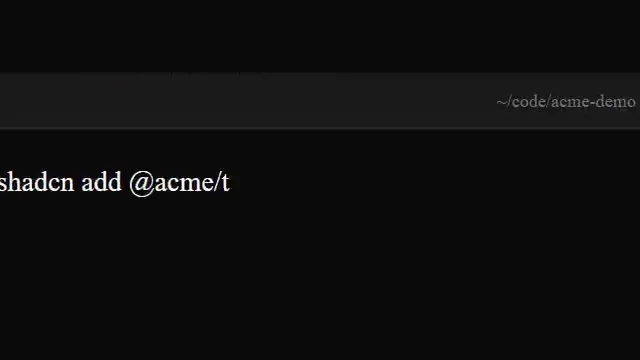
Terminal window that types out commands and rolls old lines off the top.
Source
components/kuchi/terminal-session.tsx
1"use client";23import {4 interpolate,5 Sequence,6 useCurrentFrame,7 useVideoConfig,8} from "remotion";910export type TerminalLineType = "command" | "log" | "success" | "error";1112export interface TerminalLine {13 text: string;14 type: TerminalLineType;15 delay?: number;16 /**17 * Extra freeze-frame pause AFTER this line finishes typing, in frames.18 * Use this to build dramatic tension before the next batch of logs.19 * If omitted, lines whose text ends in "..." auto-freeze for 18 frames.20 */21 pause?: number;22}2324export interface TerminalSimulatorProps {25 lines?: TerminalLine[];26 prompt?: string;27 title?: string;28 background?: string;29 chromeColor?: string;30 fontSize?: number;31 /**32 * Reveal speed. Despite the name, the reveal is now CHUNKED — each33 * `1 / charsPerFrame` frames bumps the cursor by `chunkSize` characters,34 * so output appears in bursts instead of dripping char-by-char.35 */36 charsPerFrame?: number;37 /** Characters revealed per step. */38 chunkSize?: number;39 speed?: number;40 className?: string;41}4243const DEFAULT_LINES: TerminalLine[] = [44 { text: "npm run build", type: "command", delay: 0 },45 { text: "Resolving dependencies...", type: "log", delay: 6 },46 { text: "> acme@1.0.0 build", type: "log", delay: 4 },47 { text: "> next build", type: "log", delay: 4 },48 { text: "Compiling...", type: "log", delay: 12 },49 { text: "Compiled successfully in 4.2s", type: "success", delay: 14 },50 { text: "Generating static pages (24/24)", type: "log", delay: 10 },51 { text: "Build completed without errors", type: "success", delay: 12 },52];5354const TYPE_COLORS: Record<TerminalLineType, string> = {55 command: "#fafafa",56 log: "#a1a1aa",57 success: "#22c55e",58 error: "#ef4444",59};6061/** Auto freeze-frame heuristic: any line ending in "..." holds the camera. */62function autoPause(line: TerminalLine): number {63 if (line.pause !== undefined) return line.pause;64 if (line.text.trimEnd().endsWith("...")) return 18;65 return 0;66}6768export function TerminalSimulator({69 lines = DEFAULT_LINES,70 prompt = "$",71 title = "~/projects/kuchi",72 background = "#0a0a0a",73 chromeColor = "#1a1a1a",74 fontSize = 18,75 charsPerFrame = 1,76 chunkSize = 1,77 speed = 1,78 className,79}: TerminalSimulatorProps) {80 const frame = useCurrentFrame() * speed;81 const { fps } = useVideoConfig();8283 const lineHeight = Math.round(fontSize * 1.6);84 const visibleLines = 8;85 const windowWidth = 900;86 const windowHeight = 480;8788 // Compute cumulative start frames for each line, including auto/explicit89 // pauses AFTER a line finishes typing.90 const starts: number[] = [];91 let acc = 10;92 for (let i = 0; i < lines.length; i++) {93 const delay = lines[i].delay ?? 8;94 acc += delay;95 starts.push(acc);96 // Approximate typing duration (in frames) for chunked output.97 const typingFrames = Math.ceil(98 lines[i].text.length / (chunkSize * charsPerFrame),99 );100 acc += typingFrames + autoPause(lines[i]);101 }102103 // STEP-FUNCTION scroll. Each overflowing line snaps the buffer up by104 // exactly one lineHeight on the frame it begins. No interpolation, no105 // easing — terminals do not glide.106 let translateY = 0;107 for (let i = visibleLines; i < lines.length; i++) {108 if (frame >= starts[i]) {109 translateY -= lineHeight;110 }111 }112113 return (114 <div115 className={className}116 style={{117 position: "absolute",118 inset: 0,119 display: "flex",120 alignItems: "center",121 justifyContent: "center",122 }}123 >124 <div125 style={{126 width: windowWidth,127 height: windowHeight,128 background,129 borderRadius: 12,130 overflow: "hidden",131 boxShadow:132 "0 30px 80px rgba(0,0,0,0.6), 0 0 0 1px rgba(255,255,255,0.06)",133 display: "flex",134 flexDirection: "column",135 fontFamily:136 "var(--font-geist-mono), ui-monospace, SFMono-Regular, monospace",137 }}138 >139 {/* Chrome */}140 <div141 style={{142 height: 40,143 background: chromeColor,144 display: "flex",145 alignItems: "center",146 padding: "0 16px",147 gap: 8,148 borderBottom: "1px solid rgba(255,255,255,0.06)",149 }}150 >151 <Light color="#ff5f57" />152 <Light color="#febc2e" />153 <Light color="#28c840" />154 <div155 style={{156 flex: 1,157 textAlign: "center",158 color: "#71717a",159 fontSize: 13,160 }}161 >162 {title}163 </div>164 </div>165166 {/* Content */}167 <div168 style={{169 flex: 1,170 padding: 20,171 overflow: "hidden",172 position: "relative",173 }}174 >175 <div176 style={{177 position: "absolute",178 left: 20,179 right: 20,180 top: 20,181 translate: `0 ${translateY}px`,182 }}183 >184 {lines.map((line, index) => (185 <Sequence186 key={index}187 from={Math.round(starts[index] / speed)}188 layout="none"189 >190 <TerminalLineRow191 line={line}192 prompt={prompt}193 fontSize={fontSize}194 lineHeight={lineHeight}195 charsPerFrame={charsPerFrame}196 chunkSize={chunkSize}197 fps={fps}198 speed={speed}199 />200 </Sequence>201 ))}202 </div>203 </div>204 </div>205 </div>206 );207}208209function Light({ color }: { color: string }) {210 return (211 <div212 style={{213 width: 12,214 height: 12,215 borderRadius: "50%",216 background: color,217 opacity: 0.85,218 }}219 />220 );221}222223function TerminalLineRow({224 line,225 prompt,226 fontSize,227 lineHeight,228 charsPerFrame,229 chunkSize,230 fps,231 speed,232}: {233 line: TerminalLine;234 prompt: string;235 fontSize: number;236 lineHeight: number;237 charsPerFrame: number;238 chunkSize: number;239 fps: number;240 speed: number;241}) {242 const localFrame = useCurrentFrame() * speed;243 const totalChars = line.text.length;244245 // Chunked reveal: Math.floor of an interpolated count, then snapped to the246 // nearest multiple of `chunkSize`. This is what gives the bursty terminal247 // feel — text doesn't drip, it lurches.248 const linearRevealed = Math.floor(249 interpolate(localFrame, [0, totalChars / charsPerFrame], [0, totalChars], {250 extrapolateLeft: "clamp",251 extrapolateRight: "clamp",252 }),253 );254 const revealed = Math.min(255 totalChars,256 Math.ceil(linearRevealed / chunkSize) * chunkSize,257 );258 const visible = line.text.substring(0, revealed);259 const typingDone = revealed >= totalChars;260 // 2 Hz blink at any framerate.261 const cursorVisible = Math.floor((localFrame / fps) * 2) % 2 === 0;262263 return (264 <div265 style={{266 height: lineHeight,267 fontSize,268 color: TYPE_COLORS[line.type],269 display: "flex",270 alignItems: "center",271 whiteSpace: "pre",272 }}273 >274 {line.type === "command" && (275 <span style={{ color: "#22c55e", marginRight: 8 }}>{prompt}</span>276 )}277 <span>{visible}</span>278 {!typingDone && cursorVisible && (279 <span280 style={{281 display: "inline-block",282 width: fontSize * 0.55,283 height: fontSize,284 background: TYPE_COLORS[line.type],285 marginLeft: 2,286 }}287 />288 )}289 </div>290 );291}