00:54
Launch date ·
18.68M Impressions
—Video plays

OpenCode · Builds and renders the video
OpenCode is an open-source coding agent for the terminal, desktop and IDE that works with almost any model provider, DeepSeek, Qwen and Kimi models included.
With Kuchi connected it can find a real launch video that fits your product, read it shot by shot and build your remake from a frame-timed blueprint.
Step by step: OpenCode and Remotion: make a product video with any model
No sign-in, no API key. The server is https://kuchi.kalarislabs.com/mcp.
Add the server for every project. No sign-in is needed.
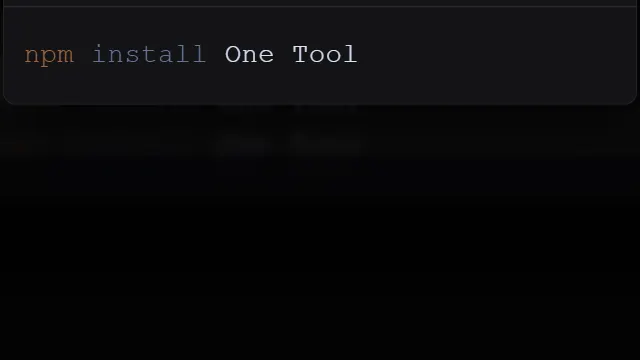
opencode mcp add kuchi --global --url https://kuchi.kalarislabs.com/mcpOr add it to your opencode.jsonc by hand.
{
  "mcp": {
    "servers": {
      "kuchi": {
        "type": "remote",
        "url": "https://kuchi.kalarislabs.com/mcp"
      }
    }
  }
}
Check it with opencode mcp list, then paste the setup prompt.
A short list of real launch videos ranked for your product, with posters and links.
kuchi_suggest_templatesEvery shot's exact frames, how it enters, how much moves, its colours and a sheet of real frames.
kuchi_get_breakdownYour product details mapped onto the reference's frames, with a list of anything still missing.
kuchi_plan_remakeOpenCode writes the scenes shot by shot, using Kuchi components where they fit, and renders the video.
kuchi_get_componentCompare your frames with the reference at the times it returns, and fix what differs.
kuchi_check_remakeUse Kuchi to find launch templates for an open-source library. Show me the posters.
Break down the one I pick and plan my version shot by shot.
Build it with Remotion and run kuchi_check_remake.
opencode mcp add kuchi --global --url <url> adds the server for every project; without --global it goes into the current project. In opencode.jsonc the entry needs type: "remote" and the url; a local server would instead have a command.
opencode mcp list confirms the server. OpenCode works with many model providers, and the server is the same whichever model you pick.
No authentication is needed.
OpenCode suggests templates, waits, studies the breakdown and plans. Because the blueprint fixes every shot's frames, entrance and motion, results stay consistent across models; the model mostly writes components.
It scaffolds Remotion, builds and renders, then calls kuchi_check_remake and compares stills at the compare_frames times.
With smaller models, save the blueprint to a file and build one shot per step.
The server is a remote MCP server over Streamable HTTP at https://kuchi.kalarislabs.com/mcp. Every message is a JSON-RPC 2.0 request sent as an HTTP POST to that one endpoint. It is stateless: there is no session to keep alive, no cookie and no Authorization header, so OpenCode can reconnect at any time without losing anything.
When OpenCode connects it sends initialize and receives the server's name, version, instructions and capabilities (tools, resources and argument completion), then calls tools/list. The tool list carries a one-hour cache hint, because it only changes when the server is deployed. Each tool call is a tools/call whose arguments are checked against a strict schema: unknown fields are rejected and every string has a length limit, so a malformed call fails with a clear message instead of a half-right answer.
Results come back as text, Markdown by default or JSON when the call passes response_format: "json", and JSON results also arrive as structuredContent. Media is never inlined: the reference MP4, the poster and the storyboard sheets come as resource_link entries pointing at the CDN, which OpenCode can open or fetch itself. A result is capped at 25,000 characters; a long blueprint arrives in pages of up to 40 shots, with shot_offset and shot_limit to fetch the next page.
Every tool is annotated readOnlyHint: true, destructiveHint: false, idempotentHint: true and openWorldHint: false: nothing changes on the server, the same call returns the same answer, and no tool reaches out to the wider web. The server also offers resources (kuchi://workflow, kuchi://videos/{id}, kuchi://breakdowns/{id} and kuchi://components/{name}) with autocompletion, for clients that let you attach a resource to a message.
| Tool | What it returns | When OpenCode uses it |
|---|---|---|
kuchi_get_workflow | The remake method, whole or one step (find, study, plan, build, check) with the rules that hold for all steps. Markdown. | Read once before the first remake, or one step at a time to keep context small. |
kuchi_suggest_templates | A short numbered list of launch videos ranked for a product description, each with poster, link, what fits, what differs, what you would need to supply and one recommendation. | First call of a job; the agent shows the posters and waits for your pick. |
kuchi_search_videos | Searches the whole library by keyword, style, category, format, aspect ratio, length, pace or theme, a page at a time. | When you ask for something specific ("vertical, fast, terminal style"). |
kuchi_get_video | One video by id, slug, site link or original X link: file, poster, storyboard, length and measured rhythm, with resource links to the MP4 and images. | When you paste a link from the site instead of choosing by number. |
kuchi_list_filters | Every valid style, category, format, aspect ratio, pace and theme with counts, plus the 14 shot kinds an agent classifies shots into. | Before a filtered search, so it never guesses a filter value. |
kuchi_get_breakdown | The frame-by-frame measurement of one video: each shot's start and end, entrance, amount of motion and colour roles, a per-second motion and loudness curve, and storyboard sheets of real frames. | Study step; the agent looks at the storyboard and writes its own shot analysis. |
kuchi_plan_remake | Takes your product details, assets and the agent's shot analysis; returns a blueprint re-timed to your length on whole frames, with your content per shot, plus missing_inputs and ready. | Called until ready=true; the blueprint becomes the shot list in code. |
kuchi_check_remake | Checks a shot list against the reference: reused brand text, assets taken from the reference, generated logos or UI, placeholders, timing gaps and drift. Returns passed and compare_frames. | Before delivery; the agent renders stills at the compare_frames times and fixes drift. |
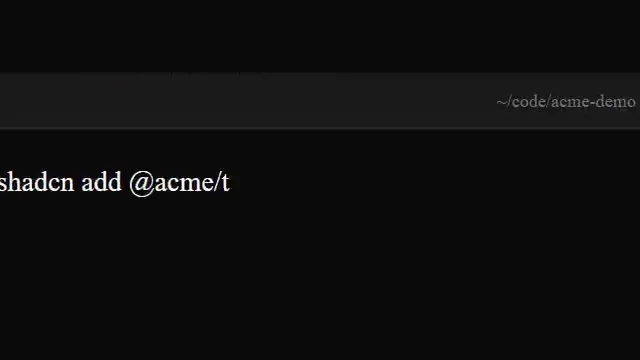
kuchi_list_components | Lists the copy-paste Remotion components (kinetic type, captions, UI screens, cursors, logos, transitions) with dependencies and shadcn install commands. | While building, to find a ready-made component for a shot. |
kuchi_get_component | One component's full source, files, dependencies, install command and usage notes, split into parts when long. | To read a component's source before installing or adapting it. |
kuchi_send_feedback | Reports a failure or a missing capability to the maintainers. The only tool that records what the agent writes. | When a tool fails or misleads. |
search | The generic search tool some clients expect: returns up to 10 video ids, titles and URLs. | Rarely; the kuchi_ tools are richer. |
fetch | The generic fetch tool: one video by the id from search, with notes, links and metadata. | Rarely. |
A reference video is measured shot by shot: where each shot starts and ends, how it enters and how much of the frame moves. kuchi_plan_remake maps those shots onto your target length, between 5 and 180 seconds, at the frame rate you will render (12 to 120 fps, the reference's own by default).
If your length is at least 75% of the reference's, every shot is kept and re-timed by the same factor (mode retimed). If it is much shorter, speeding everything up would wreck the rhythm, so the plan keeps an evenly spaced subset of shots, at least three, and re-times those instead (mode condensed). Either way every shot starts on a whole frame and lasts at least one, so start_frame and end_frame are exact integers OpenCode can place directly; no rounding happens later.
Each shot also carries compare_at_s: the moment in your video that matches the reference frame shown on the storyboard, so the side-by-side check compares like with like. precision says whether every shot was classified (analysed), some were (partly_analysed) or none were (timing_only); shots without a kind keep their timing and get placeholder content until OpenCode classifies them. One shot from a blueprint:
{
  "shot": 3,
  "start_s": 4.2,
  "end_s": 6.533,
  "start_frame": 126,
  "end_frame": 195,
  "reference_shot": 3,
  "reference_start_s": 3.9,
  "reference_end_s": 6.07,
  "compare_at_s": 5.1,
  "enters": "transition",
  "motion": "medium",
  "kind": "ui_screen",
  "reference_shows": "Product UI. Dashboard centered, cursor moves to a button",
  "your_content": "Acme: \"Live sync\". A screenshot or recording of the user's product..."
}
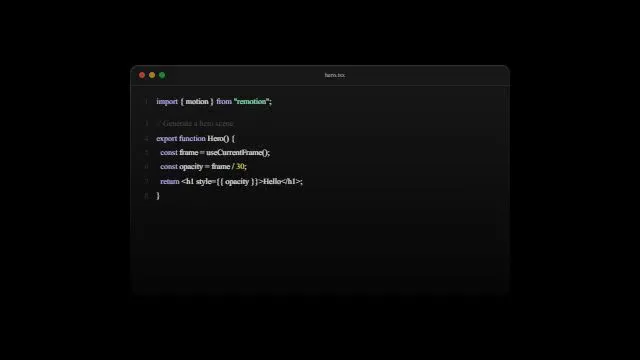
In Remotion the blueprint maps one to one onto a composition and a <Sequence> per shot. Saving the plan as plan.json and reading the frames from it means OpenCode never retypes a number:
// src/Root.tsx: one composition at the blueprint's fps and length
import { Composition } from 'remotion';
import plan from '../plan.json';
import { Launch } from './Launch';

export const Root = () => (
  <Composition id="Launch" component={Launch}
    fps={plan.blueprint.fps} durationInFrames={plan.blueprint.frames}
    width={1920} height={1080} />
);

// src/Launch.tsx: one <Sequence> per blueprint shot, on its exact frames
import { AbsoluteFill, Sequence } from 'remotion';
import plan from '../plan.json';
import { shots } from './shots';

export const Launch = () => (
  <AbsoluteFill>
    {plan.blueprint.shots.map((s) => {
      const Shot = shots[s.shot];
      return (
        <Sequence key={s.shot} from={s.start_frame}
          durationInFrames={s.end_frame - s.start_frame + 1}>
          <Shot />
        </Sequence>
      );
    })}
  </AbsoluteFill>
);
Use 1080×1920 for 9:16 and 1080×1080 for 1:1. Inside a <Sequence>, useCurrentFrame() starts at 0, so each shot's entrance animation is written relative to the shot, not to the whole video.
While studying the storyboard, OpenCode gives every reference shot one kind. The kind decides what of yours replaces it.
| Kind | In the reference | In your video |
|---|---|---|
title_card | Words on a plain or lightly textured background | A short line in your words |
kinetic_type | Words that are the motion: typing, sliding, scaling | Your headline, animated the same way |
logo | A brand mark on its own, usually a reveal | Your logo |
ui_screen | A whole product screen, flat to the camera | A screenshot or recording of your product |
ui_closeup | One part of a screen enlarged: a button, a field, a cursor | The matching detail of your UI |
device | A screen inside a phone, laptop or browser frame | Your screen in the same frame |
chart | A graph, counter or data graphic drawing in | Your real numbers, never invented ones |
character | A mascot, illustrated figure or avatar | Your own mascot, or a placeholder |
product_render | A physical product, photographed or in 3D | Your product photo or render |
live_action | Filmed footage of people or places | Your own footage, or a placeholder |
collage | Several images, cards or screens arranged together | Several of your screens |
abstract | Shapes, gradients, particles or light | The same motion in your colours |
end_card | The closing frame: logo with a call to action | Your logo and call to action |
blank | An empty frame held as a pause | The same pause, nothing on screen |
| Value | Meaning |
|---|---|
enters: cut | Hard cut: the whole picture changes in one frame. |
enters: transition | Animated transition: several frames of heavy change join two pictures (wipe, zoom, morph or dissolve). |
enters: hold | Same scene: motion resumes after the picture held still. |
enters: blank_black | Passes through an empty black frame. |
enters: blank_white | Passes through an empty white frame. |
motion: still | Under 0.4% of the frame moves. |
motion: low | Under 3%. |
motion: medium | Under 12%. |
motion: high | 12% or more. |
kuchi_check_remake takes the shot list OpenCode built: each shot's start and end in seconds, the reference_shot it rebuilds, how it enters, every line of on-screen text, and where each asset came from (user, generated, stock, placeholder or reference). It returns passed, errors and warnings by shot, and compare_frames.
The check reads the shot list, not the file: the video never leaves your machine. OpenCode then renders a still at each compare_frames time and sets it beside the reference storyboard, which catches layout drift a quick watch misses.
| Symptom | Fix |
|---|---|
| The server is missing in another project | Add it again with --global. |
| Config error on start | Set type: "remote" on the entry. |
| The model forgets the plan | Save the blueprint to a file and point at it. |
| Tools not listed | Run opencode mcp list and restart. |
| The tool list is empty or the connection times out | Check that nothing on your network (a proxy, VPN or firewall) blocks HTTPS to kuchi.kalarislabs.com, and that the URL ends in /mcp. |
| A tool says the catalog is temporarily unavailable | The library is refreshing. Retry in a minute; nothing on your side needs to change. |
Run opencode mcp add kuchi --global --url https://kuchi.kalarislabs.com/mcp, or add a remote server under mcp.servers in opencode.jsonc. opencode mcp list shows whether it is connected.
Yes. OpenCode works with many providers, and Kuchi works the same whichever model is planning and building.
Yes. The Kuchi MCP server is open: no account, no API key and no payment. Your own agent plan applies as usual.
No. A remake borrows the reference's timing, motion and layout. Every logo, screen, line of copy and asset on screen comes from your product.