Laptop Frame
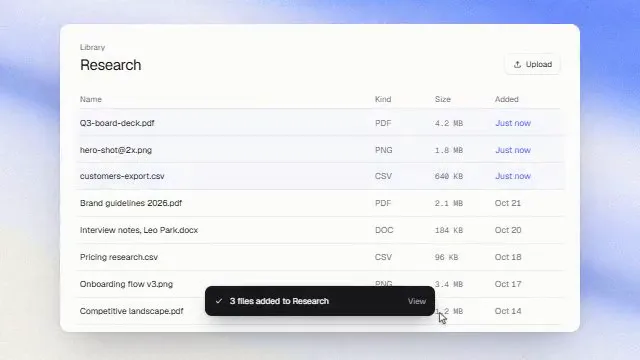
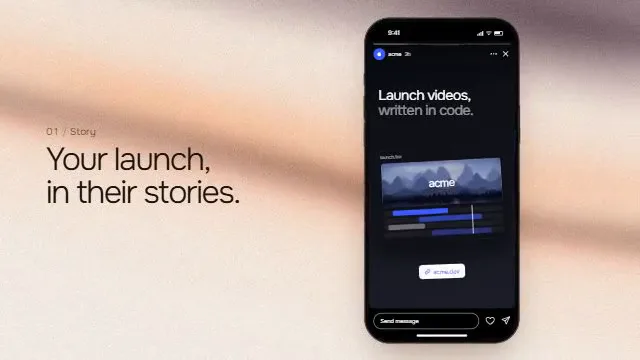
MacBook laptop mockup animation that opens and zooms into your screenshot or video. MacBook-style laptop that opens, runs a dynamic-island notch notification, then dives the camera into the screen until an image or video fills the frame.
Source
components/kuchi/laptop-frame.tsx
1"use client";23import type { CSSProperties, ReactNode } from "react";4import {5 Easing,6 getRemotionEnvironment,7 Img,8 interpolate,9 OffthreadVideo,10 staticFile,11 useCurrentFrame,12 useVideoConfig,13} from "remotion";14import {15 mixOklch,16 resolveFont,17 type KuchiTheme,18 useKuchiTheme,19 withAlpha,20} from "@/lib/kuchi-ui";2122export type LaptopFrameEntrance = "rise" | "open" | "none";23export type LaptopFrameFinale = "none" | "zoom-to-screen";24export type NotchPhase = "idle" | "loading" | "done";2526export interface LaptopFrameProps {27 /** Screen content. Falls back to `screenSrc`, then a built-in hero placeholder. */28 children?: ReactNode;29 /**30 * Image *or* video to fill the screen when `children` is omitted. Videos31 * (.mp4/.webm/.mov/.m4v) play via `<OffthreadVideo>`, images via `<Img>` —32 * both cover the screen and fade/un-blur in. A root-relative path33 * (`/showcase-videos/x.mp4`) is served by Next in the Player and rewritten34 * through `staticFile()` in Remotion Studio and a render.35 */36 screenSrc?: string;37 /** How the laptop enters. `open` lifts the lid up from the deck. */38 entrance?: LaptopFrameEntrance;39 /**40 * How the shot ends. `zoom-to-screen` dollies the camera into the screen and41 * un-tilts it until the content fills the frame — a product "screen takeover".42 * Assumes the frame is the whole composition (the cover scale is derived from43 * `useVideoConfig`).44 */45 finale?: LaptopFrameFinale;46 /** Lid shell + deck base color. Space-grey by default. */47 /** Lid colour. Defaults to a dark neutral from the design system. */48 bezelColor?: string;49 /** Screen fill behind the content. */50 /** Screen fill behind `children`. Defaults to the theme's `card`. */51 screenColor?: string;52 /** Design-system token overrides — applied to the screen's contents. */53 theme?: Partial<KuchiTheme>;54 mode?: "light" | "dark";55 /**56 * The face this scene paints its words in — a label from `fonts.ts`57 * ("Inter", "Space Grotesk", "Instrument Serif") or a CSS family you have58 * loaded yourself. Unset, the scene keeps the face it was designed around.59 *60 * Overrides `theme.fontFamily`, which is how a brand kit re-skins a whole61 * timeline from one value.62 */63 fontFamily?: string;64 /** Notch status indicator. The macOS system green is the look, not a token. */65 indicatorColor?: string;66 /** rotateX of the lid at rest, in degrees (positive tips the top back). */67 restTilt?: number;68 /** Lid top-corner radius. The bottom corners stay near-square (the hinge). */69 radius?: number;70 /** CSS box-shadow under the deck. Empty string disables it. */71 shadow?: string;72 /** Uniform size multiplier for the whole machine. */73 scale?: number;74 /** Render the notch notification pill. */75 showNotch?: boolean;76 /** Text shown in the notch's connected state. */77 notchLabel?: string;78 /** Battery fill (0–100) drawn green in the connected state. */79 batteryLevel?: number;80 /** Gentle vertical bob after the entrance settles. */81 floatLoop?: boolean;82 /** Peak float displacement in pixels. */83 floatAmplitude?: number;84 speed?: number;85 className?: string;86}8788const FONT_FAMILY =89 'Inter, -apple-system, BlinkMacSystemFont, "Segoe UI", sans-serif';9091/** Lid (screen panel) size — a 16:10 MacBook-style display. */92export const LID_WIDTH = 820;93export const LID_HEIGHT = 500;9495/** Dark shell thickness between the lid edge and the screen. */96export const BEZEL_WIDTH = 14;9798/** Deck (base) is a touch wider than the lid — the trapezoid under the hinge. */99export const DECK_WIDTH = 900;100export const DECK_HEIGHT = 22;101102/** Lid top-corner radius; bottom corners are near-square where the hinge is. */103export const LID_RADIUS = 22;104105/** rotateX of the lid at rest, and the perspective it is rendered through. */106export const REST_TILT = 18;107export const PERSPECTIVE = 1600;108109/** Frames the entrance takes before the machine is fully settled. */110export const ENTRANCE_FRAMES = 30;111112/** Camera "screen takeover" push: dolly + un-tilt from here to here. */113export const PUSH_START = 140;114export const PUSH_END = 185;115116/**117 * The camera-move easing. A *moderate* decelerate — not quint/expo-out, which118 * cover their travel in the first third and then spend frames moving < 0.5px,119 * i.e. freeze on a frame clock. See the motion-quality skill.120 */121export const CAMERA_EASE = Easing.bezier(0.2, 0.6, 0.35, 1);122123/**124 * Camera-box height: the lid + deck stack, which is what the outer wrapper125 * shrink-wraps and scales around. Used to find how far the screen centre sits126 * above the box centre so the zoom can recentre it in the frame.127 */128export const COLUMN_HEIGHT = LID_HEIGHT + DECK_HEIGHT;129130/** Seconds per full float-loop cycle. */131export const FLOAT_PERIOD_SECONDS = 5;132133/** Notch pill height, and its width in each of the three states. */134export const NOTCH_HEIGHT = 30;135export const NOTCH_IDLE_WIDTH = 116;136export const NOTCH_LOADING_WIDTH = 150;137export const NOTCH_DONE_WIDTH = 320;138139/** Default frame at which each notch state begins (before `speed`). */140export const NOTCH_TIMING = {141 loadingStart: 72,142 doneStart: 120,143} as const;144145export interface EntrancePose {146 opacity: number;147 translateY: number;148 scale: number;149}150151/**152 * Pure entrance schedule for the whole machine. Every entrance settles to the153 * identity pose by `ENTRANCE_FRAMES`, so the float loop takes over with no seam.154 * The lid-open rotation is a separate track — see `lidTilt`.155 */156export function entrancePose(157 frame: number,158 entrance: LaptopFrameEntrance,159): EntrancePose {160 const clamp = {161 extrapolateLeft: "clamp",162 extrapolateRight: "clamp",163 } as const;164 const easeOut = Easing.out(Easing.cubic);165166 if (entrance === "none") {167 return { opacity: 1, translateY: 0, scale: 1 };168 }169170 if (entrance === "open") {171 // The travel is small — the drama is in the lid lifting (lidTilt).172 return {173 opacity: interpolate(frame, [0, 10], [0, 1], clamp),174 translateY: interpolate(frame, [0, 24], [24, 0], {175 ...clamp,176 easing: easeOut,177 }),178 scale: 1,179 };180 }181182 // rise (default)183 return {184 opacity: interpolate(frame, [0, 12], [0, 1], clamp),185 translateY: interpolate(frame, [0, 26], [70, 0], {186 ...clamp,187 easing: easeOut,188 }),189 scale: 1,190 };191}192193/**194 * rotateX of the lid (degrees). `open` swings it from closed-ish to rest, hinged195 * at the deck (the lid's transform-origin is its bottom edge). `zoom-to-screen`196 * then flattens it back to 0 during the push, so the takeover ends on a flat,197 * head-on screen rather than a foreshortened one.198 */199export function lidTilt(200 frame: number,201 entrance: LaptopFrameEntrance,202 finale: LaptopFrameFinale = "none",203 restTilt: number = REST_TILT,204): number {205 const opened =206 entrance === "open"207 ? interpolate(frame, [0, ENTRANCE_FRAMES], [82, restTilt], {208 extrapolateLeft: "clamp",209 extrapolateRight: "clamp",210 easing: Easing.out(Easing.cubic),211 })212 : restTilt;213214 if (finale !== "zoom-to-screen" || frame < PUSH_START) return opened;215216 return interpolate(frame, [PUSH_START, PUSH_END], [restTilt, 0], {217 extrapolateLeft: "clamp",218 extrapolateRight: "clamp",219 easing: CAMERA_EASE,220 });221}222223export interface CameraPose {224 scale: number;225 translateY: number;226}227228/**229 * The "screen takeover" camera. `zoom-to-screen` dollies in (scale) and slides230 * up (translateY) so the screen's inner rect grows to *cover* the composition231 * and stays centred as it does. The scale is derived from the composition size,232 * so the content lands exactly filling the frame — verified by rendering frames,233 * not eyeballed (motion-quality Rule 0).234 */235export function cameraPose(236 frame: number,237 finale: LaptopFrameFinale,238 baseScale: number,239 compWidth: number,240 compHeight: number,241): CameraPose {242 if (finale !== "zoom-to-screen") return { scale: 1, translateY: 0 };243244 const p = interpolate(frame, [PUSH_START, PUSH_END], [0, 1], {245 extrapolateLeft: "clamp",246 extrapolateRight: "clamp",247 easing: CAMERA_EASE,248 });249250 // Screen inner, at the resting base scale, must cover the whole frame.251 const innerW = (LID_WIDTH - 2 * BEZEL_WIDTH) * baseScale;252 const innerH = (LID_HEIGHT - 2 * BEZEL_WIDTH) * baseScale;253 const cover = Math.max(compWidth / innerW, compHeight / innerH);254 const scale = 1 + (cover - 1) * p;255256 // The screen centre sits `d` px above the camera-box centre (the deck pulls the257 // box centre down). Countering `d * cover` as we scale keeps it centred: the258 // screen centre tracks from (centre − d) to (centre) exactly.259 const d = (COLUMN_HEIGHT / 2 - LID_HEIGHT / 2) * baseScale;260 const translateY = d * cover * p;261262 return { scale, translateY };263}264265/**266 * Deterministic float-loop offset in pixels. Starts at 0 with an upward drift267 * at `startFrame`, so it blends seamlessly out of the entrance. (Same math as268 * the phone-frame float — kept inline so the copied component has no deps.)269 */270export function floatOffset(271 frame: number,272 fps: number,273 amplitude: number,274 startFrame = 0,275 periodSeconds: number = FLOAT_PERIOD_SECONDS,276): number {277 const local = Math.max(0, frame - startFrame);278 const value =279 Math.sin((local / (fps * periodSeconds)) * Math.PI * 2) * amplitude;280 // Negative = upward drift; the `=== 0` guard avoids returning -0.281 return value === 0 ? 0 : -value;282}283284export interface NotchState {285 phase: NotchPhase;286 /** Pill width in pixels, morphing between the three states. */287 width: number;288 /** Cross-fade weights for the three content layers. */289 idle: number;290 loading: number;291 done: number;292}293294/**295 * Pure notch schedule: which state is showing, the morphing pill width, and the296 * cross-fade weights of the three content layers. The pill holds its loading297 * width, then expands to fit the connected label — the dynamic-island morph.298 */299export function notchState(300 frame: number,301 timing: { loadingStart: number; doneStart: number } = NOTCH_TIMING,302): NotchState {303 const { loadingStart, doneStart } = timing;304 const clamp = {305 extrapolateLeft: "clamp",306 extrapolateRight: "clamp",307 } as const;308309 const phase: NotchPhase =310 frame < loadingStart ? "idle" : frame < doneStart ? "loading" : "done";311312 const width = interpolate(313 frame,314 [loadingStart - 8, loadingStart, doneStart - 4, doneStart + 12],315 [316 NOTCH_IDLE_WIDTH,317 NOTCH_LOADING_WIDTH,318 NOTCH_LOADING_WIDTH,319 NOTCH_DONE_WIDTH,320 ],321 { ...clamp, easing: Easing.inOut(Easing.cubic) },322 );323324 const idle = interpolate(325 frame,326 [loadingStart - 6, loadingStart],327 [1, 0],328 clamp,329 );330 const loading = interpolate(331 frame,332 [loadingStart - 6, loadingStart, doneStart - 6, doneStart],333 [0, 1, 1, 0],334 clamp,335 );336 const done = interpolate(337 frame,338 [doneStart - 4, doneStart + 6],339 [0, 1],340 clamp,341 );342343 return { phase, width, idle, loading, done };344}345346/**347 * Built-in placeholder: a full-bleed product hero. Full-bleed on purpose — the348 * `zoom-to-screen` finale dives into the screen, so the content has to reward349 * filling the frame, not sit as a small card on empty canvas. Elements stagger350 * in during the open, then hold. Pass `imageSrc`/`children` to use your own.351 */352function PlaceholderScreen({ frame, t }: { frame: number; t: KuchiTheme }) {353 const rise = (delay: number) => {354 const r = interpolate(frame, [delay, delay + 14], [0, 1], {355 extrapolateLeft: "clamp",356 extrapolateRight: "clamp",357 easing: Easing.out(Easing.cubic),358 });359 return { opacity: r, transform: `translateY(${(1 - r) * 14}px)` };360 };361362 return (363 <div364 style={{365 position: "absolute",366 inset: 0,367 background: `linear-gradient(165deg, ${t.card} 0%, ${mixOklch(368 t.card,369 t.primary,370 0.06,371 )} 100%)`,372 color: t.foreground,373 display: "flex",374 flexDirection: "column",375 }}376 >377 {/* App bar */}378 <div379 style={{380 display: "flex",381 alignItems: "center",382 justifyContent: "space-between",383 padding: "22px 34px",384 ...rise(6),385 }}386 >387 <div style={{ display: "flex", alignItems: "center", gap: 9 }}>388 <div389 style={{390 width: 24,391 height: 24,392 borderRadius: 7,393 background: `linear-gradient(135deg, ${t.primary}, ${mixOklch(394 t.primary,395 t.foreground,396 0.18,397 )})`,398 }}399 />400 <span401 style={{ fontSize: 17, fontWeight: 700, letterSpacing: "-0.02em" }}402 >403 Acme404 </span>405 </div>406 <div style={{ display: "flex", alignItems: "center", gap: 20 }}>407 {["Product", "Pricing", "Docs"].map((l) => (408 <span key={l} style={{ fontSize: 13.5, color: t.mutedForeground }}>409 {l}410 </span>411 ))}412 <div413 style={{414 padding: "7px 14px",415 borderRadius: 8,416 backgroundColor: t.foreground,417 color: t.background,418 fontSize: 13,419 fontWeight: 600,420 }}421 >422 Sign in423 </div>424 </div>425 </div>426427 {/* Hero */}428 <div429 style={{430 flex: 1,431 display: "flex",432 flexDirection: "column",433 alignItems: "center",434 justifyContent: "center",435 textAlign: "center",436 padding: "0 40px",437 gap: 18,438 }}439 >440 <div441 style={{442 display: "inline-flex",443 alignItems: "center",444 gap: 7,445 padding: "5px 12px",446 borderRadius: 999,447 border: `1px solid ${t.border}`,448 backgroundColor: t.card,449 fontSize: 12.5,450 fontWeight: 600,451 color: t.primary,452 ...rise(12),453 }}454 >455 <span456 style={{457 width: 6,458 height: 6,459 borderRadius: 999,460 backgroundColor: t.primary,461 }}462 />463 Now in public beta464 </div>465 <div466 style={{467 fontSize: 46,468 fontWeight: 700,469 letterSpacing: "-0.03em",470 lineHeight: 1.05,471 maxWidth: 560,472 ...rise(16),473 }}474 >475 Ship demos that sell.476 </div>477 <div478 style={{479 fontSize: 16.5,480 lineHeight: 1.5,481 color: t.mutedForeground,482 maxWidth: 440,483 ...rise(20),484 }}485 >486 Turn your product into a polished launch video in minutes — no editor,487 no render farm.488 </div>489 <div style={{ display: "flex", gap: 10, marginTop: 6, ...rise(24) }}>490 <div491 style={{492 padding: "11px 20px",493 borderRadius: 10,494 background: `linear-gradient(135deg, ${t.primary}, ${mixOklch(495 t.primary,496 t.foreground,497 0.18,498 )})`,499 color: t.primaryForeground,500 fontSize: 14.5,501 fontWeight: 600,502 boxShadow: `0 10px 24px ${withAlpha(t.primary, 0.32)}`,503 }}504 >505 Get started506 </div>507 <div508 style={{509 padding: "11px 20px",510 borderRadius: 10,511 border: `1px solid ${t.border}`,512 backgroundColor: t.card,513 fontSize: 14.5,514 fontWeight: 600,515 }}516 >517 Watch demo518 </div>519 </div>520 </div>521 </div>522 );523}524525const isVideo = (src: string) => /\.(mp4|webm|mov|m4v)(\?|$)/i.test(src);526527/**528 * A root-relative asset (`/showcase-videos/x.mp4`) is served at the origin root529 * by Next in the Player, but Remotion Studio and a render serve `public/` through530 * `staticFile()` alone — so rewrite local paths everywhere but the Player, and pass531 * http(s)/data/blob URLs straight through.532 */533function resolveSrc(src: string): string {534 const isLocal = src.startsWith("/") && !src.startsWith("//");535 if (!isLocal || getRemotionEnvironment().isPlayer) return src;536 // A value that already came out of staticFile() carries the static base537 // (`/static-<hash>/…`); running it through again would prefix it twice.538 const base = staticFile("_").slice(0, -2);539 if (base && src.startsWith(`${base}/`)) return src;540 try {541 return staticFile(src.replace(/^\/+/, ""));542 } catch {543 return src;544 }545}546547/** Fills the screen with an image or a video, fading and un-blurring it in. */548function ScreenMedia({ src, frame }: { src: string; frame: number }) {549 const t = interpolate(frame, [4, 22], [0, 1], {550 extrapolateLeft: "clamp",551 extrapolateRight: "clamp",552 });553 const style: CSSProperties = {554 position: "absolute",555 inset: 0,556 width: "100%",557 height: "100%",558 // Tailwind's preflight sets `img { max-width: 100% }`, which can collapse a559 // media element we size ourselves to 0px wide. Opt out. (motion-quality skill.)560 maxWidth: "none",561 objectFit: "cover",562 opacity: t,563 filter: `blur(${(1 - t) * 8}px)`,564 };565 const resolved = resolveSrc(src);566 return isVideo(src) ? (567 <OffthreadVideo src={resolved} muted style={style} />568 ) : (569 <Img src={resolved} style={style} />570 );571}572573function Dot({574 size,575 color,576 style,577}: {578 size: number;579 color: string;580 style?: CSSProperties;581}) {582 return (583 <div584 style={{585 width: size,586 height: size,587 borderRadius: 999,588 backgroundColor: color,589 ...style,590 }}591 />592 );593}594595/** The notch pill notification, morphing idle → loading → connected. */596function Notch({597 frame,598 label,599 batteryLevel,600 t,601 indicatorColor,602}: {603 frame: number;604 label: string;605 batteryLevel: number;606 /** Resolved in dark mode — the notch is a dark pill whatever the app theme. */607 t: KuchiTheme;608 indicatorColor: string;609}) {610 const state = notchState(frame);611 const layer: CSSProperties = {612 position: "absolute",613 inset: 0,614 display: "flex",615 alignItems: "center",616 justifyContent: "center",617 };618619 return (620 <div621 style={{622 position: "absolute",623 top: 9,624 left: "50%",625 translate: "-50% 0px",626 width: state.width,627 height: NOTCH_HEIGHT,628 borderRadius: 999,629 backgroundColor: t.background,630 overflow: "hidden",631 zIndex: 10,632 }}633 >634 {/* idle — camera dot + sensor dot */}635 <div style={{ ...layer, gap: 6, opacity: state.idle }}>636 <Dot637 size={9}638 color={mixOklch(t.background, t.foreground, 0.12)}639 style={{640 border: `1px solid ${mixOklch(t.background, t.foreground, 0.2)}`,641 }}642 />643 <Dot size={5} color={mixOklch(t.background, t.foreground, 0.06)} />644 </div>645646 {/* loading — three pulsing dots */}647 <div style={{ ...layer, gap: 4, opacity: state.loading }}>648 {[0, 1, 2].map((i) => (649 <Dot650 key={i}651 size={5}652 color={t.foreground}653 style={{654 opacity: 0.4 + 0.6 * (0.5 + 0.5 * Math.sin(frame / 4 - i * 0.9)),655 }}656 />657 ))}658 </div>659660 {/* done — label + battery */}661 <div style={{ ...layer, gap: 8, opacity: state.done }}>662 <span663 style={{664 fontSize: 12,665 fontWeight: 500,666 letterSpacing: "-0.01em",667 color: t.foreground,668 whiteSpace: "nowrap",669 }}670 >671 {label}672 </span>673 <div674 style={{675 width: 22,676 height: 11,677 borderRadius: 3,678 border: `1.5px solid ${indicatorColor}`,679 padding: 1.5,680 display: "flex",681 alignItems: "center",682 }}683 >684 <div685 style={{686 width: `${Math.max(0, Math.min(100, batteryLevel))}%`,687 height: "100%",688 borderRadius: 1,689 backgroundColor: indicatorColor,690 }}691 />692 </div>693 </div>694 </div>695 );696}697698export function LaptopFrame({699 children,700 screenSrc,701 entrance = "rise",702 finale = "none",703 bezelColor,704 screenColor,705 theme,706 mode,707 fontFamily,708 indicatorColor = "#30D158",709 restTilt = REST_TILT,710 radius = LID_RADIUS,711 shadow,712 scale = 0.95,713 showNotch = true,714 notchLabel = "AirPods Connected",715 batteryLevel = 85,716 floatLoop = true,717 floatAmplitude = 4,718 speed = 1,719 className,720}: LaptopFrameProps) {721 const frame = useCurrentFrame() * speed;722 // The screen shows an app, so it follows the app theme. The lid, the notch723 // and the drop shadow are a physical object photographed on a desk: they take724 // the dark end of the system whatever mode the screen is in.725 const t = useKuchiTheme(theme, mode);726 const face = resolveFont(fontFamily ?? t.fontFamily) ?? FONT_FAMILY;727 const shell = useKuchiTheme(theme, "dark");728 const lid = bezelColor ?? mixOklch(shell.background, shell.foreground, 0.09);729 const glass = screenColor ?? t.card;730 const drop = shadow ?? `0 40px 80px ${withAlpha(shell.background, 0.45)}`;731 const { fps, width, height } = useVideoConfig();732 const isRendering = getRemotionEnvironment().isRendering;733734 const pose = entrancePose(frame, entrance);735 const tilt = lidTilt(frame, entrance, finale, restTilt);736 const camera = cameraPose(frame, finale, scale, width, height);737 // The float loop would fight the camera push, so it stops when the dive starts.738 const bob =739 floatLoop && !(finale === "zoom-to-screen" && frame >= PUSH_START)740 ? floatOffset(frame, fps, floatAmplitude, ENTRANCE_FRAMES)741 : 0;742 // The notch is at the top of the screen; fade it out as we dive past it.743 const notchFade =744 finale === "zoom-to-screen"745 ? interpolate(frame, [PUSH_START, PUSH_START + 10], [1, 0], {746 extrapolateLeft: "clamp",747 extrapolateRight: "clamp",748 })749 : 1;750751 const screenContent =752 children ??753 (screenSrc ? (754 <ScreenMedia src={screenSrc} frame={frame} />755 ) : (756 <PlaceholderScreen frame={frame} t={t} />757 ));758759 return (760 <div761 className={className}762 style={{763 position: "absolute",764 inset: 0,765 display: "flex",766 alignItems: "center",767 justifyContent: "center",768 fontFamily: face,769 }}770 >771 {/* Camera: the screen-takeover dolly. `geometricPrecision` keeps any scaled772 text from boiling; will-change helps the live Player but is wrong in a773 render (it rasterises type across parallel tabs) — motion-quality skill. */}774 <div775 style={{776 transform: `translateY(${camera.translateY}px) scale(${camera.scale})`,777 transformOrigin: "center center",778 textRendering: "geometricPrecision",779 ...(isRendering ? {} : { willChange: "transform" as const }),780 }}781 >782 {/* Entrance + float rig */}783 <div784 style={{785 opacity: pose.opacity,786 translate: `0px ${pose.translateY + bob}px`,787 scale: `${pose.scale * scale}`,788 }}789 >790 {/* Perspective stage: the lid tilts inside it, the deck stays flat */}791 <div792 style={{793 display: "flex",794 flexDirection: "column",795 alignItems: "center",796 perspective: PERSPECTIVE,797 }}798 >799 {/* Lid — hinged at its bottom edge */}800 <div801 style={{802 width: LID_WIDTH,803 height: LID_HEIGHT,804 borderRadius: `${radius}px ${radius}px 6px 6px`,805 backgroundColor: lid,806 padding: BEZEL_WIDTH,807 transformOrigin: "center bottom",808 transform: `rotateX(${tilt}deg)`,809 }}810 >811 {/* Screen */}812 <div813 style={{814 position: "relative",815 width: "100%",816 height: "100%",817 borderRadius: `${Math.max(4, radius - BEZEL_WIDTH)}px ${Math.max(818 4,819 radius - BEZEL_WIDTH,820 )}px 4px 4px`,821 backgroundColor: glass,822 overflow: "hidden",823 }}824 >825 {screenContent}826 {showNotch && notchFade > 0 && (827 <div style={{ opacity: notchFade }}>828 <Notch829 t={shell}830 indicatorColor={indicatorColor}831 frame={frame}832 label={notchLabel}833 batteryLevel={batteryLevel}834 />835 </div>836 )}837 </div>838 </div>839840 {/* Deck — wider than the lid, with the lift-lip on top */}841 <div842 style={{843 position: "relative",844 width: DECK_WIDTH,845 height: DECK_HEIGHT,846 borderRadius: "6px 6px 40px 40px",847 background: `linear-gradient(to bottom, ${withAlpha(848 shell.foreground,849 0.16,850 )}, ${withAlpha(shell.background, 0)} 34%, ${withAlpha(851 shell.background,852 0.34,853 )}), ${lid}`,854 ...(shadow === "" ? {} : { boxShadow: drop }),855 }}856 >857 <div858 style={{859 position: "absolute",860 top: 0,861 left: "50%",862 translate: "-50% 0px",863 width: 132,864 height: 8,865 borderRadius: "0 0 6px 6px",866 backgroundColor: withAlpha(shell.background, 0.28),867 }}868 />869 </div>870 </div>871 </div>872 </div>873 </div>874 );875}