Screen Recording
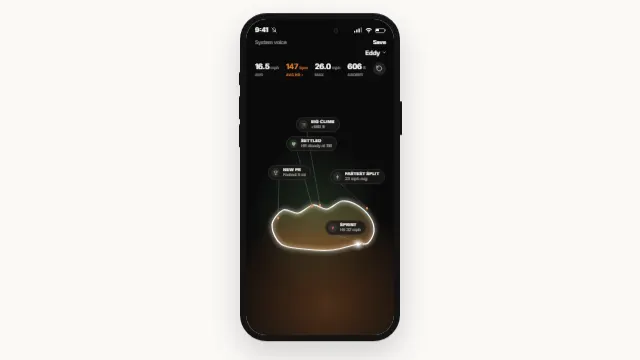
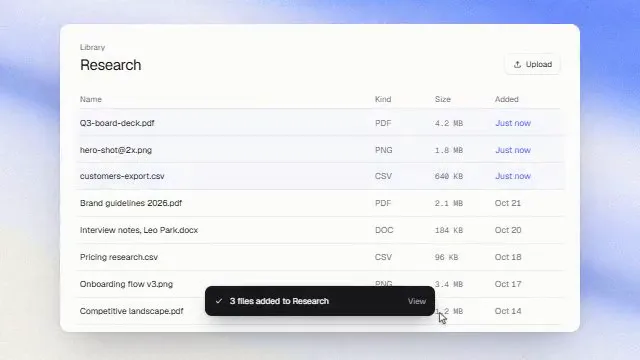
Screen recording zoom: crop and auto-zoom a product demo capture. The treatment that turns a raw screen capture into a shot: crop the browser and OS chrome off each edge as a fraction, fit what is left to the frame, and run a keyframed camera that pushes in on whatever matters at a given frame and holds until the next move.
Source
components/kuchi/screen-recording.tsx
1"use client";23import type { CSSProperties } from "react";4import {5 AbsoluteFill,6 Easing,7 getRemotionEnvironment,8 Img,9 interpolate,10 OffthreadVideo,11 staticFile,12 useCurrentFrame,13 useVideoConfig,14} from "remotion";15import { type KuchiTheme, useKuchiTheme } from "@/lib/kuchi-ui";1617export type ScreenRecordingFit = "cover" | "contain";18export type ScreenRecordingEntrance = "fade" | "none";1920/**21 * Chrome to cut off the source, one fraction per edge — `{ top: 0.11 }` drops22 * the top 11% of the recording, which is about what a browser's tab strip and23 * address bar come to. Fractions of the source, never pixels: the component24 * then never has to know the file's intrinsic size, and the same numbers25 * survive a re-record at a different resolution. Measure once on a still and26 * divide — `chromePixels / recordingHeight`. All four default to 0.27 */28export interface ScreenCrop {29 top?: number;30 right?: number;31 bottom?: number;32 left?: number;33}3435/**36 * One camera keyframe.37 *38 * A move eases from wherever the camera actually is at `at` to the pose named39 * here, over `duration` frames, and then HOLDS that pose until the next move's40 * `at`. There is no `hold` field — the hold is the gap between two moves.41 *42 * "At frame 40, over 25 frames, push to 2.2x centred on (0.62, 0.31), hold43 * until frame 90, then pull back" is two lines:44 *45 * ```tsx46 * camera={[47 * { at: 40, duration: 25, zoom: 2.2, x: 0.62, y: 0.31 },48 * { at: 90, duration: 25, zoom: 1 },49 * ]}50 * ```51 */52export interface CameraMove {53 /**54 * Frame this move starts, absolute on the component's own clock — i.e.55 * compared against `useCurrentFrame() * speed`, not against the previous56 * move. Moves are sorted by `at`; ties break on array order and the last one57 * wins, the same rule `useStateTransition` uses for `Step`.58 */59 at: number;60 /**61 * Frames the move takes. Default 25 — a push worth about 0.8s at 30fps.62 * A move whose `at + duration` runs past the next move's `at` is TRUNCATED,63 * never blended: the next move takes over from the pose actually on screen at64 * that frame, so the camera stays continuous but never averages two targets.65 */66 duration?: number;67 /**68 * Zoom this move lands on, ABSOLUTE — `1` is the fitted shot and `2.2` is69 * 2.2x that. Never a multiplier on the previous move. Omit it and the move70 * carries the previous zoom, which is what makes a pure pan one line.71 */72 zoom?: number;73 /**74 * Focal point the zoom centres on, normalized: 0 -> 1 left to right across75 * the composition, origin top-left, measured on the shot as it sits at zoom76 * 1. Omit it to carry the previous move's `x`. Defaults to 0.5 before the77 * first move.78 */79 x?: number;80 /**81 * Focal point, normalized: 0 -> 1 top to bottom across the composition. Same82 * space as `x`. Omit it to carry the previous move's `y`.83 */84 y?: number;85}8687export interface ScreenRecordingProps {88 /**89 * The recording. A video (.mp4/.webm/.mov/.m4v) plays through90 * `<OffthreadVideo>` and anything else renders as an `<Img>`, so a single91 * screenshot takes exactly the same camera track. A root-relative path92 * (`/recordings/checkout.mp4`) is served by Next in the Player and rewritten93 * through `staticFile()` in Remotion Studio and a render; http(s)/data/blob URLs pass through.94 */95 src: string;96 /** Browser and OS chrome to cut away, as a fraction of each edge of the source. */97 crop?: ScreenCrop;98 /**99 * The four edges of `crop`, flat. `crop` is the API you write by hand; these100 * exist because the customizer's controls become props verbatim and101 * `ControlType` has no object control, so a crop slider has to land on a102 * number prop. Set here, an edge overrides the same edge of `crop`.103 */104 cropTop?: number;105 cropRight?: number;106 cropBottom?: number;107 cropLeft?: number;108 /**109 * Width divided by height of the source file, if you know it (1920x1080 ->110 * 1.778). Give it and `crop` is exact on the raw file. Omit it and the source111 * is aspect-filled to the composition first, so `crop` is measured on the112 * shot as it appears rather than on the file — the same thing whenever the113 * two aspect ratios already match, which is the usual case.114 *115 * ponytail: it is compared against the COMPOSITION's aspect, not the box this116 * component is mounted in. Everything else here is box-relative, so a117 * recording inset in a device frame is correct — but its `crop` fractions118 * carry the frame's aspect error (a laptop screen is 1.68, a 16:9 comp is119 * 1.78, so ~6%). Omit `sourceAspect` there, or pass the container's aspect120 * ratio's worth of it. Measuring the real box would need a ref and a state121 * update, which is exactly the non-determinism this component cannot have.122 */123 sourceAspect?: number;124 /**125 * `cover` (default) fills the frame with the cropped region and centre-crops126 * whichever axis is long — nothing is letterboxed and nothing is stretched,127 * and the cropped region therefore *is* the frame, which is what lets camera128 * coordinates and overlay coordinates be one space. `contain` fits the whole129 * cropped region inside the frame and pads the rest with `backdropColor`;130 * reach for it only when losing an edge is worse than bars.131 */132 fit?: ScreenRecordingFit;133 /** Padding behind a `contain` fit. Defaults to the theme's `background`. */134 backdropColor?: string;135 /**136 * The camera track, in `at` order. `DEMO_CAMERA` by default — a push and a137 * pull-back, so the component shows what it is for with nothing passed. Pass138 * `[]` for a locked-off shot at zoom 1; a treated recording with no camera is139 * still the point of this component.140 *141 * A focal point is clamped to whatever the current zoom can actually hold142 * (`clampFocus`), so a pull-back to zoom 1 recentres itself rather than143 * dragging a band of `backdropColor` into frame. See `CameraMove` for how144 * moves hold and how overlaps resolve.145 */146 camera?: CameraMove[];147 /**148 * Corner radius on the treated shot, in px. 0 (default) is edge-to-edge.149 * A value here reads as a floating window, which only makes sense when the150 * recording is inset inside something else.151 */152 radius?: number;153 /**154 * Frames to skip into the source video before frame 0 of the scene — the155 * `trimBefore` of `<OffthreadVideo>`. Cut the dead air at the head of a take156 * here instead of re-exporting the file. Ignored for images.157 */158 trimBefore?: number;159 /** Play the recording's audio. Default false — a demo carries its own bed. */160 audio?: boolean;161 /**162 * How the shot arrives. `fade` (default) is the same 18-frame163 * fade-and-unblur `laptop-frame` and `phone-frame` run on screen media, so a164 * recording dropped into either does not double up on two arrivals. `none`165 * is up on frame 0.166 */167 entrance?: ScreenRecordingEntrance;168 /** Design-system token overrides. */169 theme?: Partial<KuchiTheme>;170 mode?: "light" | "dark";171 /**172 * Time multiplier. Every `at` in `camera` is measured against173 * `useCurrentFrame() * speed`. Layers do not inherit it — pass the same174 * `speed` to the overlays wrapping this one.175 */176 speed?: number;177 className?: string;178}179180// --- Constants -------------------------------------------------------------181182/**183 * The camera-move easing. A *moderate* decelerate — not quint/expo-out, which184 * cover their travel in the first third and then spend frames moving < 0.5px,185 * i.e. freeze on a frame clock. Same constant, same value, as `laptop-frame`'s186 * dolly, so a recording and a device frame move alike. See the motion-quality187 * skill.188 */189export const CAMERA_EASE = Easing.bezier(0.2, 0.6, 0.35, 1);190191/** Frames a camera move takes when `duration` is omitted. */192export const CAMERA_MOVE_FRAMES = 25;193194/** Hold past the last settle, so the shot reads as finished rather than cut. */195export const TAIL_FRAMES = 18;196197/** Fade-and-unblur window for `entrance: "fade"`. */198export const ENTRANCE_FRAMES = 18;199200/** The entrance starts a few frames in, exactly as `laptop-frame`'s does. */201const ENTRANCE_START = 4;202203/** Peak blur of the entrance, in px — `laptop-frame`'s `ScreenMedia` value. */204const ENTRANCE_BLUR = 8;205206/**207 * A push and a pull-back over the default recording. This is the component's208 * `camera` default rather than a config control: `ControlType` in209 * lib/customizer-config.ts has no array control, so the demo has to live on the210 * prop — the same way `terminal-simulator` carries `DEFAULT_LINES`.211 */212export const DEMO_CAMERA: CameraMove[] = [213 { at: 34, duration: 25, zoom: 1.6, x: 0.36, y: 0.42 },214 { at: 96, duration: 25, zoom: 1 },215];216217// --- Pure helpers (unit-tested) -------------------------------------------218219export interface CameraPose {220 /** 1 is the fitted shot. */221 zoom: number;222 /** Focal point, normalized to the frame, origin top-left. */223 x: number;224 y: number;225}226227/** The pose before any move has run. */228export const RESTING_POSE: CameraPose = { zoom: 1, x: 0.5, y: 0.5 };229230const lerp = (a: number, b: number, p: number) => a + (b - a) * p;231232/**233 * Eased progress through one move. A zero or negative `duration` is a cut — it234 * cannot go through `interpolate`, whose input range must be increasing.235 */236function moveProgress(frame: number, at: number, duration: number): number {237 if (duration <= 0) return 1;238 return interpolate(frame, [at, at + duration], [0, 1], {239 easing: CAMERA_EASE,240 extrapolateLeft: "clamp",241 extrapolateRight: "clamp",242 });243}244245/**246 * The camera pose at `frame`, folding the track forward so a move that starts247 * mid-flight takes over from the pose actually on screen. Pure: same frame,248 * same answer, whatever order Remotion renders in.249 */250export function cameraPoseAt(frame: number, moves?: CameraMove[]): CameraPose {251 if (!moves || moves.length === 0) return RESTING_POSE;252 const sorted = moves253 .map((move, index) => ({ move, index }))254 .sort((a, b) => a.move.at - b.move.at || a.index - b.index)255 // Same-`at` ties: the later array entry wins and the earlier tied entries256 // never display, so they cannot act as a `from` pose either — the rule257 // `useStateTransition` already applies to `Step`.258 .filter(259 (e, i, arr) => i === arr.length - 1 || arr[i + 1].move.at !== e.move.at,260 )261 .map((e) => e.move);262263 // `on` is the pose actually on screen; `target` is the last resolved target,264 // which is what an omitted field carries forward.265 let on = RESTING_POSE;266 let target = RESTING_POSE;267 let current: {268 from: CameraPose;269 to: CameraPose;270 at: number;271 dur: number;272 } | null = null;273274 for (const move of sorted) {275 if (move.at > frame) break;276 if (current) {277 // Truncation, not blending: sample the move in flight at the moment the278 // next one takes over, and hand that pose on as the next move's `from`.279 const p = moveProgress(move.at, current.at, current.dur);280 on = {281 zoom: lerp(current.from.zoom, current.to.zoom, p),282 x: lerp(current.from.x, current.to.x, p),283 y: lerp(current.from.y, current.to.y, p),284 };285 }286 target = {287 zoom: move.zoom ?? target.zoom,288 x: move.x ?? target.x,289 y: move.y ?? target.y,290 };291 current = {292 from: on,293 to: target,294 at: move.at,295 dur: move.duration ?? CAMERA_MOVE_FRAMES,296 };297 }298299 if (!current) return on;300 const p = moveProgress(frame, current.at, current.dur);301 return {302 zoom: lerp(current.from.zoom, current.to.zoom, p),303 x: lerp(current.from.x, current.to.x, p),304 y: lerp(current.from.y, current.to.y, p),305 };306}307308/**309 * A focal point the current zoom can actually hold. At zoom `z` the camera sees310 * `1/z` of the shot, so its centre cannot get closer than `0.5/z` to an edge311 * without dragging `backdropColor` into frame — which is what `{ zoom: 1 }`312 * after an off-centre push would otherwise do to its own pull-back. At zoom 1313 * (or below) the only legal focal point is dead centre.314 */315export function clampFocus(value: number, zoom: number): number {316 const lo = 0.5 / zoom;317 const hi = 1 - lo;318 if (lo >= hi) return 0.5;319 return Math.min(Math.max(value, lo), hi);320}321322/**323 * Natural length: the last move's `at + duration`, plus `TAIL_FRAMES`. A324 * locked-off shot (no moves) reports 0 and the composer uses the source's own325 * length instead.326 */327export function screenRecordingFrames(camera?: CameraMove[]): number {328 if (!camera || camera.length === 0) return 0;329 const end = Math.max(330 ...camera.map((m) => m.at + (m.duration ?? CAMERA_MOVE_FRAMES)),331 );332 return Math.round(end + TAIL_FRAMES);333}334335export interface ShotLayout {336 /** Cropped region in frame px: where it sits and how big it is. */337 left: number;338 top: number;339 width: number;340 height: number;341 /** The media element inside that region — its size, and its offset from it. */342 mediaWidth: number;343 mediaHeight: number;344 mediaLeft: number;345 mediaTop: number;346}347348/**349 * Where the cropped region and the media element land, in composition px.350 *351 * The source is measured in "height = 1" units, so `sourceAspect` is the only352 * thing the component ever needs to know about the file — omitted, it is the353 * composition's own aspect, which is exactly the "crop measured on the fitted354 * shot" reading documented on the prop.355 */356export function shotLayout(357 width: number,358 height: number,359 crop: ScreenCrop | undefined,360 fit: ScreenRecordingFit,361 sourceAspect: number | undefined,362): ShotLayout {363 const left = crop?.left ?? 0;364 const top = crop?.top ?? 0;365 // A crop that eats the whole source would divide by zero and blank the frame;366 // leave a sliver rather than an Infinity.367 const keepX = Math.max(1 - left - (crop?.right ?? 0), 0.01);368 const keepY = Math.max(1 - top - (crop?.bottom ?? 0), 0.01);369 // A zero or negative `sourceAspect` divides by zero downstream and every370 // returned size comes back NaN, which CSS drops silently — the shot just371 // never appears. Fall back to the composition's aspect, i.e. to the372 // documented "omit it" behaviour.373 const aspect =374 sourceAspect && sourceAspect > 0 ? sourceAspect : width / height;375376 // Cropped region in source units, then the scale that fits it to the frame.377 const regionW = aspect * keepX;378 const regionH = keepY;379 const k =380 fit === "contain"381 ? Math.min(width / regionW, height / regionH)382 : Math.max(width / regionW, height / regionH);383384 const w = regionW * k;385 const h = regionH * k;386 return {387 left: (width - w) / 2,388 top: (height - h) / 2,389 width: w,390 height: h,391 mediaWidth: aspect * k,392 mediaHeight: k,393 // The region's top-left sits `crop.left`/`crop.top` into the scaled source.394 mediaLeft: -left * aspect * k,395 mediaTop: -top * k,396 };397}398399// --- Media ----------------------------------------------------------------400401const isVideo = (src: string) => /\.(mp4|webm|mov|m4v)(\?|$)/i.test(src);402403/**404 * `shotLayout` works in composition px, but this component is an `AbsoluteFill`405 * and can be mounted in a box that is NOT the composition — a device frame's406 * screen (`laptop-frame`'s is 792x472), a split-screen `<Sequence>`. Laid out407 * in px there, the shot is sized for 1280x720 and clipped to the top-left408 * corner of the screen, and the camera centres the focal point on the409 * composition's centre rather than the box's.410 *411 * Dividing every offset by the composition size makes it a fraction of whatever412 * box the component actually lands in — identical when that box IS the frame,413 * correct when it is not, and with nothing to measure, so the layout stays a414 * pure function of the props.415 */416const pct = (value: number, of: number) => `${(value / of) * 100}%`;417418/**419 * A root-relative asset (`/recordings/checkout.mp4`) is served at the origin420 * root by Next in the Player, but Remotion Studio and a render serve `public/` through421 * `staticFile()` alone — so rewrite local paths everywhere but the Player, and pass422 * http(s)/data/blob URLs straight through.423 */424function resolveSrc(src: string): string {425 const isLocal = src.startsWith("/") && !src.startsWith("//");426 if (!isLocal || getRemotionEnvironment().isPlayer) return src;427 // A value that already came out of staticFile() carries the static base428 // (`/static-<hash>/…`); running it through again would prefix it twice.429 const base = staticFile("_").slice(0, -2);430 if (base && src.startsWith(`${base}/`)) return src;431 try {432 return staticFile(src.replace(/^\/+/, ""));433 } catch {434 return src;435 }436}437438// --- Component ------------------------------------------------------------439440export function ScreenRecording({441 src,442 crop,443 cropTop,444 cropRight,445 cropBottom,446 cropLeft,447 sourceAspect,448 fit = "cover",449 backdropColor,450 camera = DEMO_CAMERA,451 radius = 0,452 trimBefore,453 audio = false,454 entrance = "fade",455 theme,456 mode,457 speed = 1,458 className,459}: ScreenRecordingProps) {460 const frame = useCurrentFrame() * speed;461 const t = useKuchiTheme(theme, mode);462 const { width, height } = useVideoConfig();463 const isRendering = getRemotionEnvironment().isRendering;464465 const shot = shotLayout(466 width,467 height,468 {469 top: cropTop ?? crop?.top,470 right: cropRight ?? crop?.right,471 bottom: cropBottom ?? crop?.bottom,472 left: cropLeft ?? crop?.left,473 },474 fit,475 sourceAspect,476 );477 const pose = cameraPoseAt(frame, camera);478 const focusX = clampFocus(pose.x, pose.zoom);479 const focusY = clampFocus(pose.y, pose.zoom);480 // Screen = (content - focal) * zoom + centre, so the focal point lands dead481 // centre at any zoom. With a `0 0` origin that is a plain translate + scale,482 // and as a PERCENTAGE of the camera box it is `0.5 - focal * zoom` — which is483 // the same number in a full-frame mount and correct in a smaller one.484 const tx = (0.5 - focusX * pose.zoom) * 100;485 const ty = (0.5 - focusY * pose.zoom) * 100;486487 const arrival =488 entrance === "none"489 ? 1490 : interpolate(491 frame,492 [ENTRANCE_START, ENTRANCE_START + ENTRANCE_FRAMES],493 [0, 1],494 { extrapolateLeft: "clamp", extrapolateRight: "clamp" },495 );496497 const mediaStyle: CSSProperties = {498 position: "absolute",499 // Percentages of the region box, not px — see `pct` above.500 left: pct(shot.mediaLeft, shot.width),501 top: pct(shot.mediaTop, shot.height),502 width: pct(shot.mediaWidth, shot.width),503 height: pct(shot.mediaHeight, shot.height),504 // Tailwind's preflight sets `img { max-width: 100% }`, which can collapse a505 // media element we size ourselves to 0px wide. Opt out. (motion-quality skill.)506 maxWidth: "none",507 // A no-op when `sourceAspect` is given (the box already is the file's508 // aspect); when it is omitted this is what "aspect-filled first" means.509 objectFit: "cover",510 opacity: arrival,511 // Dropped once the entrance is over rather than left at `blur(0px)`: a512 // filter that is not `none` promotes the media to its own compositing513 // layer, and a promoted layer under the camera's `scale()` is resampled514 // from a stale raster instead of redrawn — across parallel tabs, in a515 // render. `blur(0px)` is on the motion-quality skill's cargo-cult list for516 // exactly that reason, and this shot is scaled on nearly every frame.517 ...(arrival < 1518 ? { filter: `blur(${(1 - arrival) * ENTRANCE_BLUR}px)` }519 : null),520 };521 const resolved = resolveSrc(src);522523 return (524 <AbsoluteFill525 className={className}526 style={{527 backgroundColor: backdropColor ?? t.background,528 borderRadius: radius,529 overflow: "hidden",530 }}531 >532 {/* Camera. will-change helps the live Player but is wrong in a render —533 it rasterises the shot across parallel tabs. (motion-quality skill.) */}534 <div535 style={{536 position: "absolute",537 inset: 0,538 transformOrigin: "0 0",539 transform: `translate(${tx}%, ${ty}%) scale(${pose.zoom})`,540 ...(isRendering ? {} : { willChange: "transform" as const }),541 }}542 >543 {/* The cropped region. Clips the chrome off the source, and under544 `contain` keeps it off the backdrop as well. */}545 <div546 style={{547 position: "absolute",548 left: pct(shot.left, width),549 top: pct(shot.top, height),550 width: pct(shot.width, width),551 height: pct(shot.height, height),552 overflow: "hidden",553 }}554 >555 {isVideo(src) ? (556 <OffthreadVideo557 src={resolved}558 muted={!audio}559 trimBefore={trimBefore}560 // The camera runs on `frame * speed`; the footage has to as well,561 // or a faster take zooms to a moment the video has not reached.562 playbackRate={speed}563 style={mediaStyle}564 />565 ) : (566 <Img src={resolved} style={mediaStyle} />567 )}568 </div>569 </div>570 </AbsoluteFill>571 );572}573574// ponytail: no `chrome="browser"` preset. A fraction that guesses an unknown575// recording's tab strip is wrong more often than right; `crop` is one division.576// ponytail: no `children`. A slot here would be a second, zoom-locked overlay577// space, which contradicts overlays living in frame coordinates — wrap this578// component in cursor-track instead. Emphasis inside the shot is `camera`'s579// job: a push to a focal point rides the footage by construction, which is580// exactly what an overlay in frame coordinates cannot do.581// ponytail: no per-move easing override. Add one when a track needs two feels.