Prompt Send
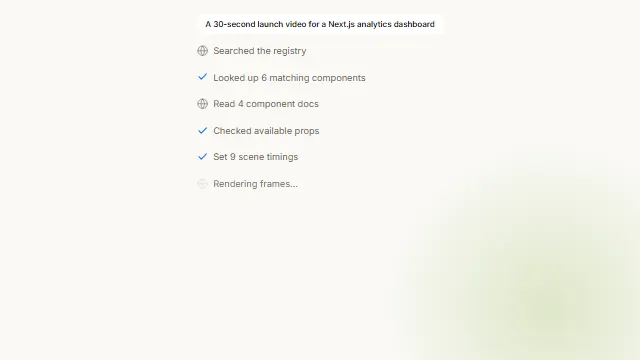
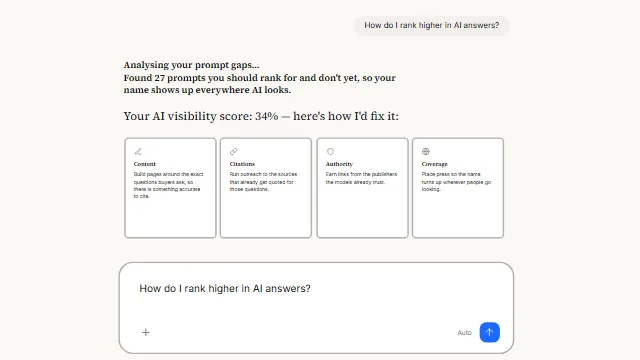
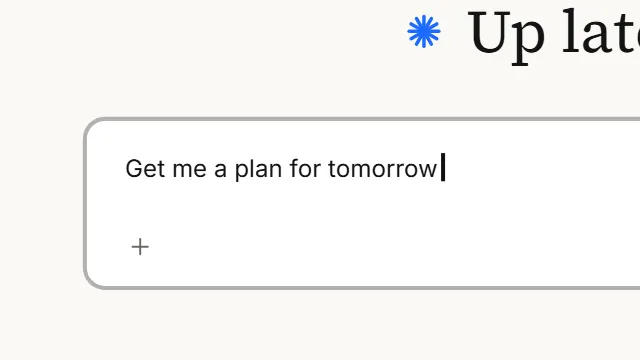
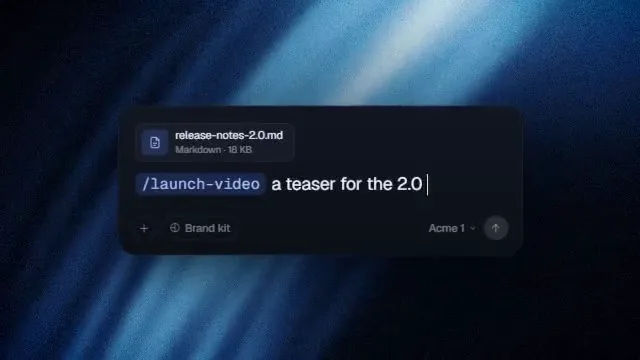
AI prompt typing animation: a chat input types a prompt and a cursor clicks send. A composer that unrolls from a hairline, writes a brief into itself while the camera cuts in and rides the caret, then cuts back out to the send button as a pointer arrives and clicks it.
Source
components/kuchi/prompt-send.tsx
1"use client";23import { loadFont as loadSans } from "@remotion/google-fonts/Inter";4import type { ReactNode } from "react";5import {6 AbsoluteFill,7 Easing,8 getRemotionEnvironment,9 interpolate,10 useCurrentFrame,11 useVideoConfig,12} from "remotion";13import { inputStyleContext } from "@/components/kuchi/input";14import {15 Item,16 mixOklch,17 parseColor,18 resolveFont,19 type KuchiTheme,20 useKuchiTheme,21 withAlpha,22} from "@/lib/kuchi-ui";2324// Loaded through @remotion/google-fonts, never a CSS variable — a Remotion25// bundle has none of the app's CSS, so a `var(--font-…)` gets you the right face26// in the Player and a fallback in the mp4 (design-system rule 4).27const { fontFamily: SANS } = loadSans("normal", {28 weights: ["400", "500"],29 subsets: ["latin"],30});3132// --- The stage -------------------------------------------------------------33//34// The reference recording is 890×486, and every ratio below was read off its35// frames, so there is no second conversion to get wrong. `stageScale` fits this36// rectangle into whatever composition the component is given.3738const REF_W = 890;39const REF_H = 486;40/** How far past the stage the backdrop is painted, so a cut never frames off it. */41const BLEED = 1.4;42const OX = (REF_W * (BLEED - 1)) / 2;43const OY = (REF_H * (BLEED - 1)) / 2;4445// --- Measured proportions --------------------------------------------------46//47// Everything the layout needs is either a fixed inset (a padding, which should48// not change when the type does) or a **ratio of a font size** (a type metric,49// which must). Feeding the defaults through `layoutFor` reproduces the50// recording's own geometry to a pixel; changing `fontSize`, `width`,51// `fieldHeight` or the labels moves the whole thing coherently instead of52// clipping against a constant that was tuned for one sentence.5354/** Panel → field inset, and the panel's own bottom padding under the chips. */55const PAD = 4.7;56/** The panel sits a hair below the frame's centre line, as the reference's does. */57const PANEL_BIAS = 3.3;58/** Field text inset, and the line box, as multiples of the prompt's font size. */59const LINE_PAD_X = 1.12143;60const LINE_PAD_Y = 1.27857;61const LINE_HEIGHT = 1.21429;62const CARET_RATIO = 0.15714;63/** The chip row's own metrics, as multiples of the chip font size. */64const CHIP_HEIGHT = 2;65const CHIP_PAD_X = 0.93496;66const CHIP_GAP = 0.70732;67const CHIP_TOP = 0.54472;68/** The row starts a little inside the field's text inset. */69const CHIP_INSET = 0.72639;70/** The send button's corner, measured off the field's bottom-right. */71const SEND_RIGHT = 14.4;72const SEND_BOTTOM = 10.3;7374// --- Measured timeline, in seconds -----------------------------------------7576/** Reveal: a hairline at the panel's top edge that unrolls downward. */77const PANEL_GROW = 0.445;78/** The writing surface finishes first — 0.83 of the panel's own duration. */79const FIELD_GROW = 0.831;80/** The panel also widens as it unrolls — 0.93 of its width to all of it. */81const WIDEN = 0.2;82const WIDEN_FROM = 0.93;83/** Placeholder and send button, together, on a straight ramp. */84const FIELD_FADE = 0.3;85/** Each chip fades up over this, rising as it goes. */86const CHIP_DUR = 0.59;87const CHIP_RISE = 11.4;88/** Caret blink half-cycle, re-anchored on every keystroke. */89const BLINK = 0.474;90/** Press, then release, on the send button. */91const PRESS_DOWN = 0.067;92const PRESS_UP = 0.25;93const PRESS_SCALE = 0.87;9495/**96 * The unroll. Nearly linear out of the gate, then a long settle — fitted to the97 * panel's measured height on twenty frames (rmse 2.5px on a 167px box).98 */99const REVEAL_EASE = Easing.bezier(0.3, 0, 0.35, 1);100/** The chips' rise. Fitted separately: it is a harder ease-out than the unroll. */101const CHIP_EASE = Easing.bezier(0.2, 0, 0.25, 1);102/** Real mouse deceleration — half the distance in the first eighth of the move. */103const CURSOR_EASE = Easing.bezier(0.16, 1, 0.3, 1);104105// --- Pure helpers (unit-tested) --------------------------------------------106107/** Eased 0→1 for a beat that starts at `at` and runs for `dur` seconds. */108export function beat(109 t: number,110 at: number,111 dur: number,112 ease: (n: number) => number = REVEAL_EASE,113): number {114 if (dur <= 0) return t >= at ? 1 : 0;115 return interpolate(t, [at, at + dur], [0, 1], {116 extrapolateLeft: "clamp",117 extrapolateRight: "clamp",118 easing: ease,119 });120}121122/**123 * Characters revealed at `t`, on an **ease-in-out sine** over `dur`.124 *125 * This is the one measurement that surprised: the reference does not type at a126 * constant rate. It accelerates in and decelerates out — 17 chars/sec over the127 * first word, 33 in the middle, and a visible settle on the last three. Fitting128 * a sine ease to the character count read off twenty-four frames lands within129 * **0.30 characters rms** across all 69, which no constant rate comes close to.130 *131 * It is also what makes the shot work: the camera rides this same curve, so the132 * push never jerks and never coasts.133 */134export function typedCount(135 t: number,136 start: number,137 dur: number,138 total: number,139): number {140 if (t <= start) return 0;141 if (dur <= 0 || t >= start + dur) return total;142 const u = (t - start) / dur;143 return Math.min(total, Math.round((total * (1 - Math.cos(Math.PI * u))) / 2));144}145146/** Continuous 0→1 of the same curve — what the camera and the field ride. */147export function typedProgress(t: number, start: number, dur: number): number {148 if (t <= start) return 0;149 if (dur <= 0 || t >= start + dur) return 1;150 return (1 - Math.cos((Math.PI * (t - start)) / dur)) / 2;151}152153/**154 * When the `count`-th character landed — the inverse of the sine ease.155 *156 * Needed because a caret does not blink on a wall clock, it blinks a fixed157 * interval after the last thing you typed. Anchoring the blink here is what158 * keeps it solid through the sentence and gets the two measured blinks after it159 * (off at 4.27s, on at 4.74s) for free.160 */161export function keystrokeAt(162 count: number,163 start: number,164 dur: number,165 total: number,166): number {167 if (count <= 0 || total <= 0) return start;168 const p = Math.min(1, count / total);169 return start + (dur * Math.acos(1 - 2 * p)) / Math.PI;170}171172/** Caret visibility: solid while typing, then blinking from the last keystroke. */173export function caretOn(t: number, anchor: number, half: number): boolean {174 if (t < anchor) return false;175 if (half <= 0) return true;176 return Math.floor((t - anchor) / half) % 2 === 0;177}178179export interface CameraShot {180 scale: number;181 x: number;182 y: number;183}184185/**186 * The camera, as three hard states — there is no interpolation between them.187 *188 * Measured on the reference: the wide view is whole on one frame and fully189 * pushed in on the very next (1.958s → 1.975s), and the same again on the way190 * back out at 4.008s. Nothing in between, either time. Ramping it, even across191 * two frames, turns a cut into a zoom and the shot stops snapping.192 *193 * What *does* move is the middle state. It is not a fixed frame: it is pinned to194 * the caret, so as the sentence grows the camera tracks left with it. The pin is195 * on the **continuous** typing curve, not on the character count — which is why196 * the caret in the reference wobbles ±8px around its mark instead of sitting197 * dead still. Each keystroke jumps it forward; the camera slides underneath.198 *199 * Both marks are *fractions of the frame*, never pixel offsets, so a wider panel200 * or a bigger type size reframes rather than drifting off the edge.201 */202export function cameraFor(203 t: number,204 o: {205 cutInAt: number;206 cutOutAt: number;207 zoomIn: number;208 zoomOut: number;209 caretX: number;210 caretY: number;211 sendX: number;212 sendY: number;213 focusX: number;214 focusY: number;215 outX: number;216 outY: number;217 },218): CameraShot {219 if (t >= o.cutOutAt) {220 return {221 scale: o.zoomOut,222 x: o.outX * REF_W - o.zoomOut * o.sendX,223 y: o.outY * REF_H - o.zoomOut * o.sendY,224 };225 }226 if (t >= o.cutInAt) {227 return {228 scale: o.zoomIn,229 x: o.focusX * REF_W - o.zoomIn * o.caretX,230 y: o.focusY * REF_H - o.zoomIn * o.caretY,231 };232 }233 return { scale: 1, x: 0, y: 0 };234}235236/**237 * Greedy row-fill for the suggestion row.238 *239 * Four short labels are one row and that is the shot the reference shows, but a240 * component that only works for four short labels is one that breaks the first241 * time somebody writes a real one. Anything that will not fit wraps, the panel242 * grows by exactly the rows it gained, and the stagger keeps running in label243 * order across them.244 */245export function packChipRows(246 widths: number[],247 available: number,248 gap: number,249): number[][] {250 const rows: number[][] = [];251 let row: number[] = [];252 let used = 0;253 widths.forEach((w, i) => {254 if (row.length > 0 && used + gap + w > available) {255 rows.push(row);256 row = [];257 used = 0;258 }259 used += row.length === 0 ? w : gap + w;260 row.push(i);261 });262 if (row.length > 0) rows.push(row);263 return rows;264}265266export interface PromptSendLayout {267 panelTop: number;268 panelWidth: number;269 panelHeight: number;270 pad: number;271 fieldHeight: number;272 fieldRadius: number;273 /** Prompt line, relative to the panel's own box. */274 lineX: number;275 lineY: number;276 lineHeight: number;277 /** How much line fits before the field has to scroll under the caret. */278 lineMaxWidth: number;279 caretWidth: number;280 /** Suggestion row: `chipsX` from the panel's left, `chipsGap` below the field. */281 chipsX: number;282 chipsGap: number;283 chipHeight: number;284 chipPadX: number;285 chipGap: number;286 chipRows: number[][];287 sendSize: number;288 sendRight: number;289 sendBottom: number;290}291292/**293 * The whole geometry, from four numbers and the measured label widths.294 *295 * Every offset the recording gave up is in here either as a fixed inset or as a296 * ratio of a font size, so the defaults reproduce the reference exactly and any297 * other content still lands somewhere sensible. The panel's height is *derived*298 * — padding, field, the gap, however many chip rows there turned out to be — so299 * it hugs its content rather than being a constant that fits one sentence.300 */301export function layoutFor(o: {302 width: number;303 fieldHeight: number;304 fontSize: number;305 chipFontSize: number;306 radius: number;307 sendSize: number;308 chipWidths: number[];309}): PromptSendLayout {310 const lineX = PAD + o.fontSize * LINE_PAD_X;311 const chipHeight = o.chipFontSize * CHIP_HEIGHT;312 const chipGap = o.chipFontSize * CHIP_GAP;313 const chipsX = PAD + (lineX - PAD) * CHIP_INSET;314 const chipRows = packChipRows(o.chipWidths, o.width - chipsX * 2, chipGap);315 const chipsGap = o.chipFontSize * CHIP_TOP;316317 // The line only yields room to the send button when the two actually share a318 // row. On the reference's 121px field they do not — the button sits well below319 // the text — so the full width is the line's. Shrink the field to a single-row320 // control and the line starts scrolling before it can run under the button.321 const lineBottom = PAD + o.fontSize * LINE_PAD_Y + o.fontSize * LINE_HEIGHT;322 const sendTop = PAD + o.fieldHeight - SEND_BOTTOM - o.sendSize;323 const sendGutter =324 lineBottom > sendTop ? o.sendSize + SEND_RIGHT + o.fontSize * 0.5 : 0;325326 // No chips → the panel simply hugs the field. With chips it opens up by the327 // gap, the rows it needs, and its own bottom padding.328 const below =329 chipRows.length === 0330 ? PAD331 : chipsGap +332 chipRows.length * chipHeight +333 (chipRows.length - 1) * chipGap +334 PAD * 2;335 const panelHeight = PAD + o.fieldHeight + below;336337 return {338 panelTop: (REF_H - panelHeight) / 2 + PANEL_BIAS,339 panelWidth: o.width,340 panelHeight,341 pad: PAD,342 fieldHeight: o.fieldHeight,343 fieldRadius: Math.max(0, o.radius - 2),344 lineX,345 lineY: PAD + o.fontSize * LINE_PAD_Y,346 lineHeight: o.fontSize * LINE_HEIGHT,347 lineMaxWidth: Math.max(0, o.width - lineX * 2 - sendGutter),348 caretWidth: o.fontSize * CARET_RATIO,349 chipsX,350 chipsGap,351 chipHeight,352 chipPadX: o.chipFontSize * CHIP_PAD_X,353 chipGap,354 chipRows,355 sendSize: o.sendSize,356 sendRight: SEND_RIGHT,357 sendBottom: SEND_BOTTOM,358 };359}360361/** Accepts an array or the comma-separated string the customizer passes. */362export function chipList(chips?: string[] | string): string[] {363 const list = typeof chips === "string" ? chips.split(",") : (chips ?? []);364 return list.map((c) => c.trim()).filter(Boolean);365}366367// One measuring context, reused. `measureText` runs once per label per frame,368// and allocating a canvas each time is the sort of thing that only shows up369// when somebody renders four minutes of it.370let measureCtx: CanvasRenderingContext2D | null | undefined;371372/** Advance width of `text`, measured on the face we actually draw. */373export function measureWidth(374 text: string,375 size: number,376 family: string = SANS,377 weight = 400,378): number {379 if (!text) return 0;380 if (typeof document === "undefined") return text.length * size * 0.5;381 if (measureCtx === undefined) {382 measureCtx = document.createElement("canvas").getContext("2d");383 }384 if (!measureCtx) return text.length * size * 0.5;385 measureCtx.font = `${weight} ${size}px ${family}, system-ui, sans-serif`;386 return measureCtx.measureText(text).width;387}388389// --- Cursor ----------------------------------------------------------------390391/**392 * The pointing hand, at the size the recording caught it: 18×27, hotspot on the393 * fingertip. Drawn in **stage** space, outside the camera — a pointer is a394 * property of the screen, not of the thing on it, so it must not scale when the395 * camera cuts in.396 */397function HandCursor({398 x,399 y,400 size,401 fill,402 stroke,403}: {404 x: number;405 y: number;406 size: number;407 fill: string;408 stroke: string;409}) {410 return (411 <svg412 viewBox="0 0 18 27"413 width={size * (18 / 27)}414 height={size}415 style={{416 position: "absolute",417 // The hotspot is the fingertip, which sits 6.2 of 18 across the glyph418 // and 1 of 27 down it — not the box's corner.419 left: x - size * (6.2 / 27),420 top: y - size * (1 / 27),421 display: "block",422 filter: "drop-shadow(0 1px 1.5px rgba(0,0,0,0.28))",423 }}424 >425 <title>Pointer</title>426 <path427 d="M4.1 15.6V3.1a2.1 2.1 0 0 1 4.2 0v7.6h.6l.3-1.5a1.7 1.7 0 0 1 3.4.3v1.5l.4-.5a1.7 1.7 0 0 1 3 1.1v1.1l.4-.2a1.6 1.6 0 0 1 1.9 1.6v4.6c0 3.6-2.4 6.3-6.1 6.3H9.6c-2.6 0-4-1-5.2-2.7l-3.2-4.6a1.7 1.7 0 0 1 2.5-2.2l.4.4Z"428 fill={fill}429 stroke={stroke}430 strokeWidth={1.1}431 strokeLinejoin="round"432 />433 </svg>434 );435}436437/** The send glyph: an up arrow, drawn to fill its disc the way the reference does. */438function SendArrow({ size, color }: { size: number; color: string }) {439 return (440 <svg441 viewBox="0 0 24 24"442 width={size}443 height={size}444 fill="none"445 stroke={color}446 strokeWidth={2.2}447 strokeLinecap="round"448 strokeLinejoin="round"449 style={{ display: "block" }}450 >451 <title>Send</title>452 <path d="M12 19V5M5.5 11.5 12 5l6.5 6.5" />453 </svg>454 );455}456457// --- Props -----------------------------------------------------------------458459export interface PromptSendProps {460 /** The brief that types itself. Any length — the field scrolls under the caret. */461 text?: string;462 /** Shown until the first character lands. */463 placeholder?: string;464 /**465 * The suggestion row under the field. Pass an array, or the comma-separated466 * string the customizer sends. They wrap, and the panel grows to hold them;467 * pass `[]` for a bare field.468 */469 chips?: string[] | string;470 /** Replaces the up-arrow in the send button. */471 sendIcon?: ReactNode;472473 // --- Size. Every default is the recording's own measurement. ---474 /** Panel width, in stage px (the stage is 890×486, scaled to the composition). */475 width?: number;476 /** Height of the writing surface. The panel's height follows from it. */477 fieldHeight?: number;478 /** Prompt type size. The line box, caret and field padding all follow from it. */479 fontSize?: number;480 /** Chip label size. Chip height, padding and the row gap all follow from it. */481 chipFontSize?: number;482 /** Panel corner radius. The field's is this less 2, as the reference's is. */483 radius?: number;484 /** Diameter of the send button. */485 sendSize?: number;486 /** Overrides the loaded Inter — only useful if you have already loaded a face. */487 fontFamily?: string;488489 // --- Timing, in seconds. ---490 /** When the panel starts to unroll, and how long the unroll takes. */491 revealAt?: number;492 revealDuration?: number;493 /** When the placeholder and the send button fade up. */494 fieldAt?: number;495 /** When the caret arrives (whole — it does not fade). */496 caretAt?: number;497 /** When the first chip starts, and the gap between them. */498 chipsAt?: number;499 chipStagger?: number;500 /** When typing starts, and how long the whole sentence takes. */501 typeStart?: number;502 typeDuration?: number;503 /** When the view cuts in to the caret, and back out to the button. */504 cutInAt?: number;505 cutOutAt?: number;506 /** How far each cut pushes. Both are measured off the reference. */507 zoomIn?: number;508 zoomOut?: number;509 /** Where the caret sits in frame while the camera rides it. */510 focusX?: number;511 focusY?: number;512 /** Where the send button sits in frame after the second cut. */513 outX?: number;514 outY?: number;515 /** When the pointer starts its approach, how long it takes, and when it clicks. */516 cursorAt?: number;517 cursorDuration?: number;518 clickAt?: number;519 /** Show the pointer at all. Off drops the click and the send bloom with it. */520 cursor?: boolean;521522 // --- Paint. ---523 /** The wash behind the panel and the send bloom. Defaults to `theme.primary`. */524 accentColor?: string;525 theme?: Partial<KuchiTheme>;526 mode?: "light" | "dark";527 speed?: number;528}529530// --- Main composition ------------------------------------------------------531532/**533 * A prompt composer that unrolls from a hairline, writes a brief into itself534 * while the camera rides the caret, then cuts back out and gets sent.535 *536 * ## Four things were measured, and they are the component537 *538 * **The unroll.** It does not fade in and it does not scale up from nothing. A539 * 2px white line appears at the panel's top edge and the box grows *downward*540 * out of it — top edge pinned, bottom edge travelling its full height in 445ms —541 * while the width goes from 0.93 to 1. The writing surface and the chip strip542 * are two separate heights on the same curve with different durations, which is543 * why the strip surfaces from under the field late rather than being there from544 * the first frame.545 *546 * **The typing is eased.** 17 chars/sec on the first word, 33 in the middle, and547 * a visible settle on the last three. An ease-in-out sine over the character548 * count fits all 69 of the reference's to within 0.30 characters rms; no549 * constant rate is close.550 *551 * **The camera cuts, and then it rides.** 2.327× in a single frame, landing with552 * the caret 57% across the frame, then tracking left with the sentence — pinned553 * to the *continuous* typing curve, so the caret wobbles ±8px about its mark as554 * each character jumps ahead of the slide. Then it cuts again, out to 1.44×,555 * centred on the send button, which is where the pointer is already heading.556 *557 * **The pointer is a real mouse.** It enters the bottom-right corner and its558 * distance to the button halves every 44ms — an exponential approach, not a559 * constant glide. It is drawn outside the camera because a pointer belongs to560 * the screen, not to the scene, and must not grow when the shot pushes in.561 *562 * ## Nothing here is a constant tuned to one sentence563 *564 * Every offset above is either a fixed inset or a ratio of a font size, and565 * `layoutFor` turns four numbers — `width`, `fieldHeight`, `fontSize`,566 * `chipFontSize` — into the whole geometry. Longer copy scrolls the field under567 * the caret instead of running past its edge; more chips wrap and the panel568 * grows by exactly the rows they needed; no chips at all and it hugs the field.569 * Both camera marks are fractions of the frame, so a wider panel reframes rather570 * than drifting off it.571 *572 * ## What is not measured573 *574 * The colours and the wording. The reference is a specific product with a575 * specific blue; none of that belongs in a component that ships to strangers and576 * lands next to somebody else's `Input` (design-system rule 5). The paint is the577 * shadcn token set, the field takes its surface from the `Input` primitive's own578 * style context so the two cannot drift, the wash is layered from `accentColor`579 * (`theme.primary` by default), and every string is a prop.580 */581export function PromptSend({582 text = "Add a text reveal, a soft blur transition, and a gradient background",583 placeholder = "Describe the scene you want…",584 chips = [585 "Add a text reveal",586 "Try a blur transition",587 "Pick a background",588 "Assemble a scene",589 ],590 sendIcon,591 width = 636.2,592 fieldHeight = 121.2,593 fontSize = 14,594 chipFontSize = 12.3,595 radius = 22,596 sendSize = 27.4,597 fontFamily,598 revealAt = 0.025,599 revealDuration = PANEL_GROW,600 fieldAt = 0.417,601 caretAt = 0.742,602 chipsAt = 0.545,603 chipStagger = 0.1,604 typeStart = 0.915,605 typeDuration = 3.025,606 cutInAt = 1.975,607 cutOutAt = 4.008,608 zoomIn = 2.327,609 zoomOut = 1.44,610 focusX = 0.573,611 focusY = 0.4881,612 outX = 0.5305,613 outY = 0.5261,614 cursorAt = 4.042,615 cursorDuration = 0.42,616 clickAt = 4.658,617 cursor = true,618 accentColor,619 theme,620 mode,621 speed = 1,622}: PromptSendProps) {623 const frame = useCurrentFrame();624 const { width: compWidth, height: compHeight, fps } = useVideoConfig();625 const t = useKuchiTheme(theme, mode);626 const face = resolveFont(fontFamily ?? t.fontFamily) ?? SANS;627 const ui = inputStyleContext(t);628 const accent = accentColor ?? t.primary;629630 const now = (frame * speed) / fps;631 const stageScale = Math.min(compWidth / REF_W, compHeight / REF_H);632633 // --- layout -------------------------------------------------------------634 const labels = chipList(chips);635 const L = layoutFor({636 width,637 fieldHeight,638 fontSize,639 chipFontSize,640 radius,641 sendSize,642 chipWidths: labels.map(643 (c) =>644 measureWidth(c, chipFontSize, face) + chipFontSize * CHIP_PAD_X * 2 + 2,645 ),646 });647648 // --- reveal -------------------------------------------------------------649 const panelH = L.panelHeight * beat(now, revealAt, revealDuration);650 const fieldH =651 L.fieldHeight * beat(now, revealAt, revealDuration * FIELD_GROW);652 const panelW =653 L.panelWidth * (WIDEN_FROM + (1 - WIDEN_FROM) * beat(now, revealAt, WIDEN));654 const panelLeft = (REF_W - panelW) / 2;655 // The chips hang off the field's bottom edge, so they ride its growth and are656 // already in place by the time the first one fades up.657 const fieldBottom = L.pad + fieldH;658659 const fieldIn = interpolate(now, [fieldAt, fieldAt + FIELD_FADE], [0, 1], {660 extrapolateLeft: "clamp",661 extrapolateRight: "clamp",662 });663664 // --- typing -------------------------------------------------------------665 const count = typedCount(now, typeStart, typeDuration, text.length);666 const typed = text.slice(0, count);667 const progress = typedProgress(now, typeStart, typeDuration);668 const fullWidth = measureWidth(text, fontSize, face);669670 // The line rides the *continuous* curve, so a sentence longer than the field671 // scrolls under the caret the way a real single-line input does — and the672 // caret, quantised to whole characters, hops either side of the mark rather673 // than the whole line jerking once per keystroke.674 const advance = fullWidth * progress;675 const room = Math.max(0, L.lineMaxWidth - L.caretWidth);676 const scrolled = Math.max(0, advance - room);677 const caretSceneX = panelLeft + L.lineX + Math.min(advance, room);678679 const caretAnchor =680 count === 0681 ? caretAt682 : // Clamped to `now`: the count is rounded, so the inverse of the ease can683 // put the "last keystroke" a few milliseconds in the future — and a684 // blink anchored in the future reads as a caret that is off while you685 // are typing.686 Math.min(687 now,688 Math.max(689 caretAt,690 // `count - 0.5` because the count is *rounded*: the character691 // appears when the eased value crosses the half, and that crossing692 // is the keystroke the caret's blink hangs off.693 keystrokeAt(count - 0.5, typeStart, typeDuration, text.length),694 ),695 );696 const caretLit = now >= caretAt && caretOn(now, caretAnchor, BLINK);697698 // --- camera -------------------------------------------------------------699 const sendX = panelLeft + panelW - L.pad - L.sendRight - L.sendSize / 2;700 const sendY =701 L.panelTop + L.pad + L.fieldHeight - L.sendBottom - L.sendSize / 2;702 const shot = cameraFor(now, {703 cutInAt,704 cutOutAt,705 zoomIn,706 zoomOut,707 caretX: caretSceneX,708 caretY: L.panelTop + L.lineY + L.lineHeight / 2,709 sendX,710 sendY,711 focusX,712 focusY,713 outX,714 outY,715 });716717 // --- pointer ------------------------------------------------------------718 const approach = interpolate(719 now,720 [cursorAt, cursorAt + cursorDuration],721 [0, 1],722 {723 extrapolateLeft: "clamp",724 extrapolateRight: "clamp",725 easing: CURSOR_EASE,726 },727 );728 // It parks just up and right of dead centre on the button, which is where a729 // hand cursor actually lands when you aim at a target this size.730 const sendScreenX = shot.x + shot.scale * sendX + sendSize * 0.098;731 const sendScreenY = shot.y + shot.scale * sendY - sendSize * 0.091;732 const cursorX = interpolate(approach, [0, 1], [REF_W * 0.86, sendScreenX]);733 const cursorY = interpolate(approach, [0, 1], [REF_H * 1.02, sendScreenY]);734735 // --- press and send -----------------------------------------------------736 const press = !cursor737 ? 0738 : now < clickAt739 ? 0740 : now < clickAt + PRESS_DOWN741 ? (now - clickAt) / PRESS_DOWN742 : Math.max(0, 1 - (now - clickAt - PRESS_DOWN) / PRESS_UP);743 const pressScale = 1 - (1 - PRESS_SCALE) * press;744 // The send bloom. It opens 220ms after the press — the reference's does — and745 // sweeps across the field rather than sitting still. The recording ends 140ms746 // into it, so the opening is measured and the rest is ours.747 const glow = !cursor748 ? 0749 : beat(now, clickAt + 0.22, 0.3, Easing.out(Easing.quad));750 const sweep = beat(now, clickAt + 0.22, 1.1, Easing.out(Easing.quad));751752 // --- paint --------------------------------------------------------------753 // A hairline is specified at a 40px control; this panel is much taller, so the754 // token is walked toward the background through the system's own mix rather755 // than by picking a lighter grey (design-system rule 3b).756 const hairline = mixOklch(ui.idleBorder, t.background, 0.1);757 // A transparent page asks for no page: the wash is the page's, so it goes too.758 const bare = parseColor(t.background).alpha === 0;759 const surface = withAlpha(t.card, 0.94);760 const glassy = withAlpha(t.card, 0.52);761 const sendIdle = mixOklch(t.foreground, t.card, 0.55);762 const armed = count > 0;763764 const isRendering = getRemotionEnvironment().isRendering;765 const willChange = isRendering ? undefined : ("transform" as const);766767 return (768 <AbsoluteFill style={{ background: t.background }}>769 <div770 style={{771 position: "absolute",772 left: "50%",773 top: "50%",774 width: REF_W,775 height: REF_H,776 transform: `translate(-50%, -50%) scale(${stageScale})`,777 overflow: "hidden",778 }}779 >780 {/* The camera. A plain static transform per shot — never interpolated781 between them, so there is no frame on which a cut is halfway. */}782 <div783 style={{784 position: "absolute",785 inset: 0,786 transform: `translate(${shot.x}px, ${shot.y}px) scale(${shot.scale})`,787 transformOrigin: "0 0",788 willChange,789 }}790 >791 {/* The backdrop rides *inside* the camera, because on the reference it792 does — the wash grows with everything else when the shot pushes in.793 It is drawn on an oversized box (and positioned in px, not %, so794 the maths stays the stage's) because the second cut frames past the795 stage's right edge and a wash that stopped there would show a seam.796797 The shape is the reference's: a cool field falling from the top798 right, a bright patch left of centre, a warm corner under it. The799 paint is not — it is layered as alpha over the installer's own800 `background` and `accentColor` (design-system rule 5). Alpha, not801 `mixOklch`: hue interpolation from a near-neutral page colour to802 blue takes the short way round, through green. */}803 {!bare && (804 <div805 style={{806 position: "absolute",807 left: -OX,808 top: -OY,809 width: REF_W * BLEED,810 height: REF_H * BLEED,811 background: t.background,812 backgroundImage: [813 `radial-gradient(${0.96 * REF_W}px ${0.8 * REF_H}px at ${OX + 0.06 * REF_W}px ${OY + 0.98 * REF_H}px, ${withAlpha(t.background, 0.9)} 0%, transparent 62%)`,814 `radial-gradient(${0.74 * REF_W}px ${0.62 * REF_H}px at ${OX + 0.1 * REF_W}px ${OY + 0.46 * REF_H}px, ${withAlpha(t.card, 0.42)} 0%, transparent 66%)`,815 `linear-gradient(215deg, ${withAlpha(accent, 0.5)} 0%, ${withAlpha(accent, 0.28)} 52%, ${withAlpha(accent, 0.14)} 100%)`,816 ].join(","),817 }}818 />819 )}820821 {/* ---- The glass panel */}822 <div823 style={{824 position: "absolute",825 left: panelLeft,826 top: L.panelTop,827 width: panelW,828 height: panelH,829 borderRadius: radius,830 background: glassy,831 // The hairline is an inset shadow, not a border: a border is832 // layout, and every measured offset below is from the panel's own833 // box. One pixel of border would push all of them one pixel in.834 boxShadow: `inset 0 0 0 1px ${withAlpha(t.card, 0.6)}, 0 12px 32px ${withAlpha(t.foreground, 0.05)}`,835 overflow: "hidden",836 }}837 >838 {/* ---- The writing surface */}839 <div840 style={{841 position: "absolute",842 left: L.pad,843 top: L.pad,844 width: Math.max(0, panelW - L.pad * 2),845 height: fieldH,846 borderRadius: L.fieldRadius,847 background: surface,848 boxShadow: `0 6px 18px ${withAlpha(t.foreground, 0.05)}`,849 overflow: "hidden",850 }}851 >852 {/* The send bloom: what the click buys you. Inside the field so it853 is clipped by its radius, the way the reference's is. */}854 <div855 style={{856 position: "absolute",857 inset: 0,858 opacity: glow,859 background: `radial-gradient(80% 170% at ${16 + sweep * 66}% 96%, ${withAlpha(accent, 0.55)} 0%, transparent 66%)`,860 }}861 />862863 {/* The prompt line, translated left once the sentence outgrows the864 field. Caret between the value and the placeholder, which is865 where the reference puts it — the placeholder starts one caret866 width right of the text origin, not on it. */}867 <div868 style={{869 position: "absolute",870 left: L.lineX - L.pad - scrolled,871 top: L.lineY - L.pad,872 display: "flex",873 alignItems: "center",874 height: L.lineHeight,875 fontFamily: face,876 fontWeight: 400,877 fontSize,878 lineHeight: `${L.lineHeight}px`,879 color: t.foreground,880 whiteSpace: "pre",881 textRendering: "geometricPrecision",882 }}883 >884 {typed}885 <span886 style={{887 display: "inline-block",888 width: L.caretWidth,889 height: L.lineHeight,890 background: t.foreground,891 opacity: caretLit ? 1 : 0,892 flexShrink: 0,893 }}894 />895 {count === 0 ? (896 <span style={{ color: ui.mutedForeground, opacity: fieldIn }}>897 {placeholder}898 </span>899 ) : null}900 </div>901902 {/* ---- Send */}903 <div904 style={{905 position: "absolute",906 right: L.sendRight,907 bottom: L.sendBottom,908 width: L.sendSize,909 height: L.sendSize,910 borderRadius: L.sendSize / 2,911 background: armed ? t.foreground : sendIdle,912 display: "flex",913 alignItems: "center",914 justifyContent: "center",915 opacity: fieldIn,916 transform: `scale(${pressScale})`,917 willChange,918 }}919 >920 {sendIcon ?? (921 <SendArrow size={L.sendSize * 0.56} color={t.card} />922 )}923 </div>924 </div>925926 {/* ---- Suggestions */}927 <div928 style={{929 position: "absolute",930 left: L.chipsX,931 top: fieldBottom + L.chipsGap,932 right: L.chipsX,933 display: "flex",934 flexDirection: "column",935 gap: L.chipGap,936 }}937 >938 {L.chipRows.map((row) => (939 <div940 key={row.join("-")}941 style={{ display: "flex", gap: L.chipGap }}942 >943 {row.map((i) => {944 const p = beat(945 now,946 chipsAt + i * chipStagger,947 CHIP_DUR,948 CHIP_EASE,949 );950 return (951 <Item key={labels[i]} index={i}>952 <div953 style={{954 boxSizing: "border-box",955 height: L.chipHeight,956 padding: `0 ${L.chipPadX}px`,957 borderRadius: L.chipHeight / 2,958 background: t.card,959 border: `1px solid ${hairline}`,960 color: t.foreground,961 fontFamily: face,962 fontWeight: 400,963 fontSize: chipFontSize,964 // The label rides low in the pill on the reference,965 // which is what stops a small label in a round pill966 // reading as though it were floating.967 paddingTop: chipFontSize * 0.17073,968 lineHeight: `${L.chipHeight - 4}px`,969 whiteSpace: "nowrap",970 textRendering: "geometricPrecision",971 opacity: p,972 transform: `translateY(${(1 - p) * CHIP_RISE}px)`,973 willChange,974 }}975 >976 {labels[i]}977 </div>978 </Item>979 );980 })}981 </div>982 ))}983 </div>984 </div>985 </div>986987 {cursor && approach > 0 ? (988 <HandCursor989 x={cursorX}990 y={cursorY}991 size={27}992 fill={t.card}993 stroke={mixOklch(t.foreground, t.card, 0.2)}994 />995 ) : null}996 </div>997 </AbsoluteFill>998 );999}