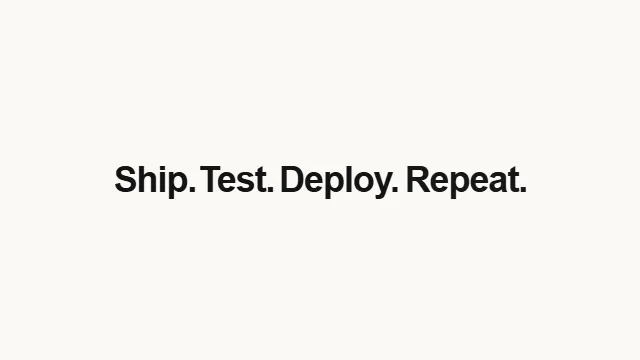
Text Swell
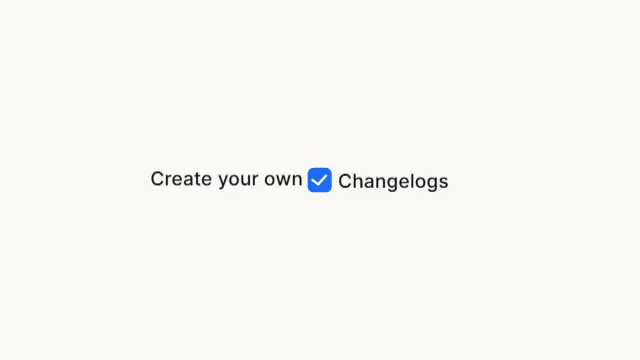
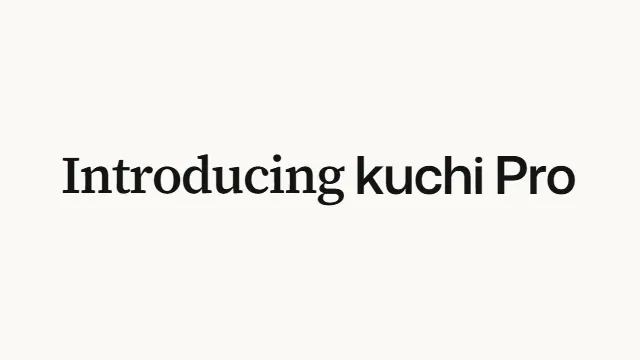
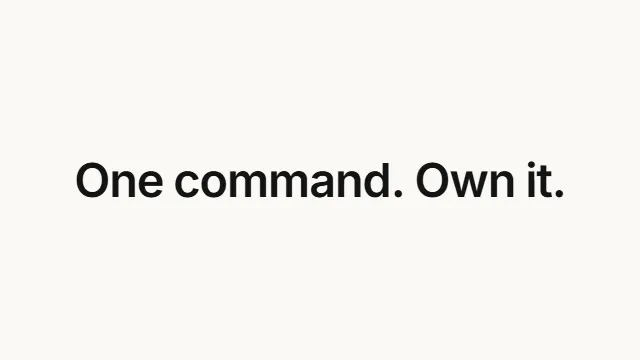
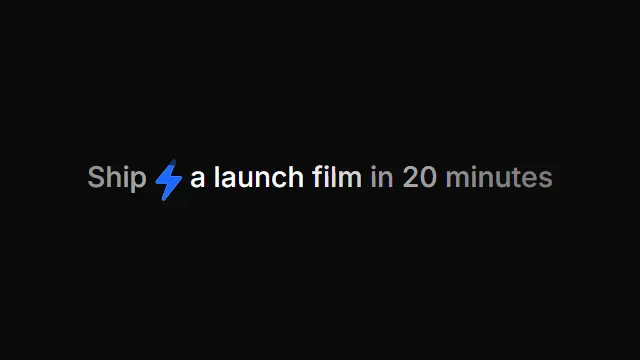
Kinetic typography title with a bouncing letter wave. A title reveal where the lead word floats toward the viewer and hangs there while the sentence assembles around it — each trailing word pushes in and its letters bounce up off the baseline in a wave — before the whole line falls back to size.
Source
components/kuchi/text-swell.tsx
1"use client";23import { Fragment, useEffect, useRef, useState } from "react";4import {5 AbsoluteFill,6 continueRender,7 delayRender,8 Easing,9 getRemotionEnvironment,10 interpolate,11 useCurrentFrame,12 useVideoConfig,13} from "remotion";14import {15 resolveFont,16 type KuchiTheme,17 useKuchiTheme,18} from "@/lib/kuchi-ui";1920export interface TextSwellProps {21 /** The sentence to assemble. Its first word leads, and everything else pushes it left. */22 text?: string;23 /** Final font size in px (the size the line settles at). */24 fontSize?: number;25 /** Overrides the design system's `foreground`. */26 color?: string;27 fontWeight?: number | string;28 /** Design-system token overrides. */29 theme?: Partial<KuchiTheme>;30 mode?: "light" | "dark";31 /**32 * The face this scene paints its words in — a label from `fonts.ts`33 * ("Inter", "Space Grotesk", "Instrument Serif") or a CSS family you have34 * loaded yourself. Unset, the scene keeps the face it was designed around.35 *36 * Overrides `theme.fontFamily`, which is how a brand kit re-skins a whole37 * timeline from one value.38 */39 fontFamily?: string;4041 /** Frames the lead word fades in over. */42 introDuration?: number;43 /** How far below its resting line the lead word starts, in em. */44 riseDistance?: number;45 /** Frames the lead word takes to rise into place. */46 riseDuration?: number;4748 /** Size the lead word rises in at, relative to its final size. */49 startScale?: number;50 /**51 * How far forward the line floats (2.1 = just over twice its final size).52 * Capped so the line never leaves the frame — see `frontScale` in the docs.53 */54 frontScale?: number;55 /** Frames after the start before the line begins floating forward. */56 approachDelay?: number;57 /** Frames the line takes to float forward. */58 approachDuration?: number;5960 /**61 * Frames before the second word arrives. The lead word is alone until then, so62 * this is the beat between it landing and the sentence starting to build.63 */64 wordDelay?: number;65 /** Frames between each trailing word arriving. */66 wordStagger?: number;67 /** How far right of its slot a trailing word starts, in em. */68 wordPush?: number;69 /**70 * Frames a trailing word takes to push into its slot. The lead word is shoved71 * left over the same window, so the push and the shove are one motion.72 */73 wordPushDuration?: number;7475 /**76 * How many trailing words bounce their letters in. 1 (the default) bounces77 * only the second word; the rest simply push in. The lead word never bounces.78 */79 bounceWords?: number;80 /** How far each letter swells at the peak of its bounce (0.23 = 23% bigger). */81 letterSwell?: number;82 /** Frames between one letter starting its bounce and the next. */83 letterStagger?: number;84 /** Frames a letter takes to swell up. */85 letterRise?: number;86 /** Frames a letter stays swollen at the top of its bounce. */87 letterHold?: number;88 /** Frames a letter takes to settle back to its natural size. */89 letterFall?: number;9091 /** Frames the line stays forward once everything has landed. */92 holdDuration?: number;93 /** Frames the whole line takes to fall back to its final size. */94 recedeDuration?: number;9596 /** Resting letter-spacing (CSS value, em recommended). */97 letterSpacing?: string;98 speed?: number;99 className?: string;100}101102/**103 * The lead word rising into place: already moving, decelerating to a standstill.104 *105 * A *moderate* decelerate, deliberately — not the quint/expo-out that this kind106 * of entrance usually reaches for. Those asymptote: they cover 99% of the travel107 * in the first third and then crawl. Over a 50px rise at 30fps that leaves five108 * frames moving less than half a pixel each, which rasterise to identical frames109 * — the word visibly stops dead partway up and then the next beat starts. This110 * curve still arrives at a standstill, but it spends its frames on travel you can111 * see. The general rule for anything on a frame clock: a settle worth one frame112 * is a settle; a settle worth five frames is a freeze.113 */114const RISE_EASE = Easing.bezier(0.2, 0.6, 0.35, 1);115116/** The line floating forward: eases in, decelerates into a hang. */117const APPROACH_EASE = Easing.bezier(0.4, 0, 0.15, 1);118119/**120 * The fall back. Heavily eased in — barely 10% travelled a third of the way121 * through — so the line hangs a moment longer than you expect and then carries122 * to a dead stop. No bounce.123 */124const ZOOM_EASE = Easing.bezier(0.5, 0, 0.05, 1);125126/**127 * A word pushing into its slot, and the shove it gives the line. Quick off the128 * mark, long soft landing.129 */130const WORD_EASE = Easing.bezier(0.22, 0.8, 0.36, 1);131132/**133 * Both halves of a letter's bounce. It leaves and arrives at a standstill, so134 * the letter eases off its baseline, rounds over the top and eases back down135 * with no kink at either end and no jerk on the way up.136 */137const LETTER_EASE = Easing.bezier(0.4, 0, 0.2, 1);138139/** Fraction of the frame width the line may occupy. */140const FIT = 0.97;141142/**143 * A title reveal built around one idea: the lead word is pushed aside by the144 * words that follow it.145 *146 * 1. The lead word rises from below and settles, centred, at its natural size.147 * 2. The line floats forward — toward the viewer.148 * 3. The second word cuts in from the right, its letters bouncing up off the149 * baseline one after another, and **shoves the lead word left** to make room.150 * Later words follow, pushing in without a bounce, each shoving the lead word151 * further left.152 * 4. Once everything has landed, the whole line falls back to its final size and153 * settles into the sentence.154 *155 * The shove is the point, so it is not on a clock of its own. Each word owns a156 * share of the leftward travel — its share of the width it adds to the line —157 * and spends that share over exactly the frames it spends pushing into its slot.158 * The lead word therefore cannot move until a word arrives to move it, and it159 * lands where the finished sentence needs it to be.160 *161 * Only `scale`, `translate` and `opacity` animate — nothing reflows — so the162 * baseline is fixed and there is no layout shift.163 */164export function TextSwell({165 text = "No extra charge",166 fontSize = 72,167 color,168 fontWeight = 600,169 theme,170 mode,171 fontFamily,172 introDuration = 8,173 riseDistance = 0.7,174 riseDuration = 10,175 startScale = 1,176 frontScale = 2.1,177 approachDelay = 14,178 approachDuration = 20,179 wordDelay = 27,180 wordStagger = 14,181 wordPush = 0.15,182 wordPushDuration = 12,183 bounceWords = 1,184 letterSwell = 0.23,185 letterStagger = 2,186 letterRise = 3,187 letterHold = 0,188 letterFall = 6,189 holdDuration = 6,190 recedeDuration = 18,191 letterSpacing = "-0.03em",192 speed = 1,193 className,194}: TextSwellProps) {195 const frame = useCurrentFrame() * speed;196 const { width } = useVideoConfig();197 const t = useKuchiTheme(theme, mode);198 const face =199 resolveFont(fontFamily ?? t.fontFamily) ??200 "-apple-system, BlinkMacSystemFont, sans-serif";201 const fill = color ?? t.foreground;202203 const words = text.split(" ").filter(Boolean);204205 /**206 * Why the scale is pivoted on the baseline, and not on the middle of the line.207 *208 * Browsers do not scale text the way they scale an image. They re-shape and209 * re-rasterise the glyphs at every new size, and the rasteriser snaps each210 * glyph's origin to the pixel grid: horizontally it gets quarter-pixel211 * precision, vertically it gets **none at all** — the origin rounds to a whole212 * device pixel. So a scale that moves the baseline makes the type climb the213 * pixel grid in whole-pixel steps. During the slow ends of an eased curve the214 * baseline drifts by a fraction of a pixel per frame, which rounds to *nothing*215 * for several frames and then to a whole pixel all at once: the letters sit216 * still, jump, sit still. That is the "stuck", and no amount of easing work217 * fixes it, because it is the type being quantised, not the animation.218 *219 * Pivot on the baseline and the baseline's device Y simply never changes, so220 * there is nothing to snap. The glyphs still re-rasterise at every size — which221 * is what we want, it is why they stay crisp — they just stop moving vertically222 * while doing it. Swept across a linear 1.6x → 1x ramp, the line's vertical223 * judder falls from 0.284px (pivoting on the middle, 29 direction reversals in224 * 40 frames) to 0.014px with zero reversals, and the minimum sits exactly on225 * the baseline and nowhere else.226 *227 * The alternative — compositing the line so the GPU resamples a bitmap — also228 * removes the snapping, but it stops the type being re-rasterised at all: what229 * you get on screen is a rescaled texture, softer than real type at every size230 * but one. Crisp and smooth beats smooth alone.231 *232 * The visible cost is that the line now grows *upward* off its baseline rather233 * than outward from its middle, which shifts the ink about 10px at full size on234 * a 720p frame. Type sitting on a line and growing off it is the more235 * typographic read anyway.236 */237238 // The lead word sits in the middle of the frame while it is alone, and every239 // word after it shoves the line left by the width it adds. That needs the240 // line's rendered width and where each word ends inside it — all constant241 // across frames, so measure once and hold the render until they are known.242 // offsetLeft / offsetWidth are layout px, untouched by the animated243 // transforms, so they give the unscaled geometry.244 const lineRef = useRef<HTMLSpanElement>(null);245 const wordRefs = useRef<(HTMLSpanElement | null)[]>([]);246 const [handle] = useState(() => delayRender("text-swell: measure line"));247 const baselineRef = useRef<HTMLSpanElement>(null);248 const [metrics, setMetrics] = useState<{249 lineWidth: number;250 leadCenter: number;251 /** Right edge of each word, in unscaled line-local px. */252 ends: number[];253 /** Distance from the top of the line box down to the text baseline. */254 baseline: number;255 } | null>(null);256257 useEffect(() => {258 const line = lineRef.current;259 const spans = wordRefs.current.slice(0, words.length);260 if (!line || spans.length !== words.length || spans.some((s) => !s)) {261 continueRender(handle);262 return;263 }264 const lead = spans[0] as HTMLSpanElement;265 // An empty, zero-sized inline-block sits with its bottom edge on the text266 // baseline, so its offsetTop *is* the baseline — measured from the real font267 // metrics rather than guessed from a line-height ratio.268 const baseline = baselineRef.current?.offsetTop ?? line.offsetHeight * 0.8;269 setMetrics({270 lineWidth: line.offsetWidth,271 leadCenter: lead.offsetLeft + lead.offsetWidth / 2,272 ends: spans.map((s) => {273 const el = s as HTMLSpanElement;274 return el.offsetLeft + el.offsetWidth;275 }),276 baseline,277 });278 }, [handle, words.length]);279280 // Release the render only once the measurement has re-rendered, so the very281 // first captured frame already carries the correct geometry (no blank frame).282 useEffect(() => {283 if (metrics) continueRender(handle);284 }, [metrics, handle]);285286 const ready = metrics !== null;287 const lineWidth = metrics?.lineWidth ?? width * 0.4;288 const leadCenter = metrics?.leadCenter ?? lineWidth * 0.08;289 const ends =290 metrics?.ends ?? words.map((_, i) => ((i + 1) * lineWidth) / words.length);291 // Distance from the top of the line box down to the text baseline — the one292 // point the scale must not move. See the note above.293 const baseline = metrics?.baseline ?? fontSize * 0.88;294295 // Where the line's left edge rests once everything has settled — flexbox296 // centres the line, and the transform pivots on that same left edge.297 const restLeft = (width - lineWidth) / 2;298299 // Each trailing word owns a share of the leftward shove, proportional to the300 // width it adds to the line. `before[i]` is how much of the shove is already301 // spent by the time word `i` arrives.302 const added = words.map((_, i) => (i === 0 ? 0 : ends[i] - ends[i - 1]));303 const totalAdded = added.reduce((a, b) => a + b, 0) || 1;304 const share = added.map((a) => a / totalAdded);305 const before: number[] = [];306 for (let i = 0, run = 0; i < words.length; i++) {307 before.push(run);308 run += share[i];309 }310311 const wordStart = (i: number) => wordDelay + (i - 1) * wordStagger;312 const letterStart = (i: number, j: number) =>313 wordStart(i) + j * letterStagger;314315 // Floating forward blows the line up about its left edge, and until the last316 // word has finished shoving, that edge still sits right of where it will rest.317 // A word arriving into that gap is the widest the line ever gets, so cap the318 // float at whatever keeps even that moment inside the frame.319 let front = Math.min(frontScale, (width * FIT - restLeft) / lineWidth);320 for (let i = 1; i < words.length; i++) {321 const unspent = 1 - before[i];322 const room = width * FIT - restLeft - (lineWidth / 2) * unspent;323 const reach = ends[i] + wordPush * fontSize - leadCenter * unspent;324 if (reach > 0) front = Math.min(front, room / reach);325 }326 front = Math.max(1, front);327328 // Float forward, hang, then fall back. The two curves never overlap — the329 // first clamps at `front` once the approach ends, the second is 0 until the330 // recede starts — so they sum into one continuous scale: startScale → front → 1.331 const lastEnd = Math.max(332 approachDelay + approachDuration,333 ...words.map((word, i) =>334 i === 0335 ? 0336 : Math.max(337 wordStart(i) + wordPushDuration,338 i <= bounceWords339 ? letterStart(i, word.length - 1) +340 letterRise +341 letterHold +342 letterFall343 : 0,344 ),345 ),346 );347 const recedeStart = lastEnd + holdDuration;348349 const scale =350 interpolate(351 frame,352 [approachDelay, approachDelay + approachDuration],353 [startScale, front],354 {355 extrapolateLeft: "clamp",356 extrapolateRight: "clamp",357 easing: APPROACH_EASE,358 },359 ) +360 interpolate(361 frame,362 [recedeStart, recedeStart + recedeDuration],363 [0, 1 - front],364 {365 extrapolateLeft: "clamp",366 extrapolateRight: "clamp",367 easing: ZOOM_EASE,368 },369 );370371 // How much of the leftward shove has been spent. Nothing moves the lead word372 // but the words arriving to move it, so this is just their pushes added up.373 let shoved = 0;374 for (let i = 1; i < words.length; i++) {375 shoved +=376 share[i] *377 interpolate(378 frame,379 [wordStart(i), wordStart(i) + wordPushDuration],380 [0, 1],381 {382 extrapolateLeft: "clamp",383 extrapolateRight: "clamp",384 easing: WORD_EASE,385 },386 );387 }388389 // Unshoved, the line sits wherever puts the lead word in the middle of the390 // frame — at any scale, so the word stays centred as it floats forward. Fully391 // shoved, it sits on its resting left edge, which is where the finished392 // sentence belongs. `shoved` walks between the two.393 const translateX = (lineWidth / 2 - scale * leadCenter) * (1 - shoved);394395 return (396 <AbsoluteFill397 style={{398 alignItems: "center",399 justifyContent: "center",400 background: "transparent",401 }}402 >403 <span404 ref={lineRef}405 className={className}406 style={{407 position: "relative",408 display: "inline-block",409 fontSize,410 fontWeight,411 color: fill,412 letterSpacing,413 lineHeight: 1.1,414 whiteSpace: "nowrap",415 fontFamily: face,416 // Pivot on the lead word's left edge, and on the baseline. See above:417 // the baseline is what must not move.418 transformOrigin: `0% ${baseline}px`,419 scale,420 translate: `${translateX}px`,421 opacity: ready ? 1 : 0,422 // The second half of the fix, and the one that stops the *shake* rather423 // than the stick.424 //425 // Hinting distorts each glyph's outline so its stems land on whole426 // pixels — great for a static paragraph, ruinous for type that is427 // changing size. As the scale slides, every stem re-snaps to a different428 // grid, so the letterforms visibly change shape from frame to frame.429 // They boil. Measured over the fall-back, the line's shape invariant430 // (ink area over width squared, which for a rigid shape being scaled431 // literally cannot change) wandered by 3.41% with hinting on and 0.22%432 // with it off — fifteen times steadier.433 //434 // `geometricPrecision` turns hinting off and asks for the outline to be435 // rendered as it actually is. The type reads very slightly softer,436 // because the stems are no longer being snapped — that is not blur, it437 // is the absence of a lie, and it is what every professional motion tool438 // does with type. It also forces sub-pixel glyph positioning on, which439 // Blink otherwise only enables above a device scale factor of 1 — and a440 // Remotion render is exactly 1.441 textRendering: "geometricPrecision",442 // Rendering and live playback want opposite things here, so give each443 // what it needs.444 //445 // A render has no time budget: the browser re-shapes and re-rasterises446 // every glyph at every new size, which is why the type stays genuinely447 // crisp, and the two fixes above are what make that smooth. Compositing448 // it would only replace real type with a rescaled texture — and worse,449 // a render is spread across parallel browser tabs, each of which450 // inherits a stale raster from whatever scale it drew last, so the same451 // frame comes out differently depending on which tab drew it.452 //453 // The Player is the opposite: one continuous tab, and roughly eight454 // milliseconds a frame on a 120Hz screen. Re-shaping a line of type at455 // a brand-new size every frame is the most expensive way to draw text,456 // and a frame that misses the budget is simply shown for the wrong457 // length of time — stutter that no amount of CSS can fix. So for live458 // playback, hand the scale to the compositor: measured on a single459 // continuous tab it is smooth (0.016px of judder) with no loss of460 // sharpness at all.461 ...(getRemotionEnvironment().isRendering462 ? null463 : { willChange: "transform" as const }),464 }}465 >466 {words.map((word, i) => {467 const isLead = i === 0;468 const start = wordStart(i);469 const bounces = i >= 1 && i <= bounceWords;470 return (471 // The gap between words is a plain text node *between* the word472 // spans, not inside one. A trailing space inside an inline-block sits473 // at the end of that box's line and CSS strips it, which would run474 // the sentence together.475 // biome-ignore lint/suspicious/noArrayIndexKey: words are positional and never reorder476 <Fragment key={i}>477 {isLead ? null : " "}478 <span479 ref={(el) => {480 wordRefs.current[i] = el;481 }}482 style={{483 display: "inline-block",484 opacity: isLead485 ? interpolate(frame, [0, introDuration], [0, 1], {486 extrapolateLeft: "clamp",487 extrapolateRight: "clamp",488 })489 : interpolate(frame, [start, start + 3], [0, 1], {490 extrapolateLeft: "clamp",491 extrapolateRight: "clamp",492 }),493 // The lead word rises from below into the middle. Every other494 // word arrives from the right of its slot and pushes in.495 translate: isLead496 ? `0px ${interpolate(497 frame,498 [0, riseDuration],499 [riseDistance * fontSize, 0],500 {501 extrapolateLeft: "clamp",502 extrapolateRight: "clamp",503 easing: RISE_EASE,504 },505 )}px`506 : `${interpolate(507 frame,508 [start, start + wordPushDuration],509 [wordPush * fontSize, 0],510 {511 extrapolateLeft: "clamp",512 extrapolateRight: "clamp",513 easing: WORD_EASE,514 },515 )}px`,516 }}517 >518 {/* Only a bouncing word is split into letters — the others stay519 one run, which keeps their kerning intact. */}520 {bounces521 ? Array.from(word).map((letter, j) => {522 const rise = letterStart(i, j);523 const fall = rise + letterRise + letterHold;524 return (525 <span526 // biome-ignore lint/suspicious/noArrayIndexKey: letters are positional and never reorder527 key={j}528 style={{529 display: "inline-block",530 // Swell up off the baseline and settle back. The rise531 // clamps at 1 and the fall is 0 until it starts, so532 // the difference is one pulse: 0 → 1 → 0, with533 // `letterHold` frames of flat top between them.534 // Pivot on the baseline, not on `100%`. The bottom of535 // an inline-block sits *below* the baseline by the536 // descent, so pivoting there would drag the letter's537 // baseline upward as it swells — and a baseline that538 // moves is exactly what snaps to the pixel grid.539 transformOrigin: `50% ${baseline}px`,540 scale:541 1 +542 letterSwell *543 (interpolate(544 frame,545 [rise, rise + letterRise],546 [0, 1],547 {548 extrapolateLeft: "clamp",549 extrapolateRight: "clamp",550 easing: LETTER_EASE,551 },552 ) -553 interpolate(554 frame,555 [fall, fall + letterFall],556 [0, 1],557 {558 extrapolateLeft: "clamp",559 extrapolateRight: "clamp",560 easing: LETTER_EASE,561 },562 )),563 }}564 >565 {letter}566 </span>567 );568 })569 : word}570 </span>571 </Fragment>572 );573 })}574 {/* Baseline ruler. An empty, zero-sized inline-block aligns its bottom575 edge to the text baseline, so `offsetTop` reads the baseline straight576 off the font's real metrics. Zero-sized, so it changes no layout. */}577 <span578 ref={baselineRef}579 style={{ display: "inline-block", width: 0, height: 0 }}580 />581 </span>582 </AbsoluteFill>583 );584}