00:58
Launch date ·
3.10M Impressions
1.06MVideo plays
For product managers and product marketing
Product teams ship more features than they can announce well. A 15 to 30-second clip per feature, in the changelog, the launch post, the in-app announcement and the sales deck, is the format that gets a release noticed. It is also the one that gets skipped, because nobody has a week to animate it. With Kuchi, the AI agent your team already uses makes that clip, with a real feature launch as the template.
Kuchi is a free library of real launch videos measured frame by frame. Your agent finds a feature clip whose structure fits what you shipped, studies its shots, plans yours on the same frames with your screens and copy, and builds it. The motion stays at the same standard release after release, and the content is always yours.
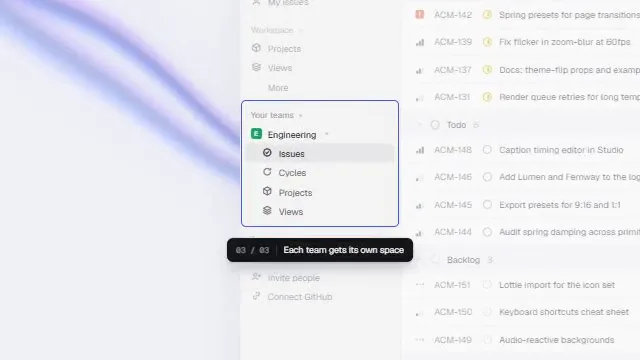
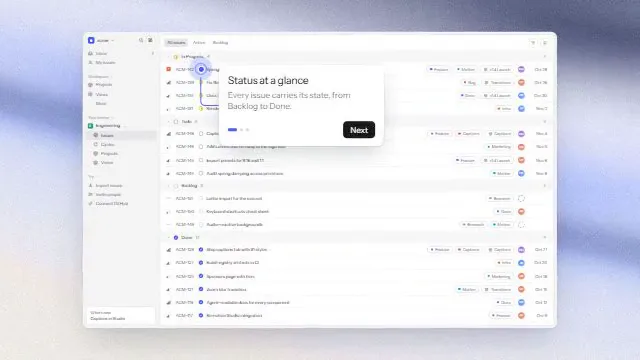
A feature announcement is narrower than a launch. It carries one idea: here is the thing you could not do last week, and here it is working. The strongest feature clips in the library show that in a handful of shots: a line that frames the problem, the real UI doing the new thing, a close-up on the moment that matters, and a short close that names the feature.
For a product manager the hard part is not the idea, it is the production: getting the right screens, keeping them on brand, and fitting the result to the five places it will be posted. For product marketing it is consistency: the third feature clip of the quarter should feel like it belongs with the first two. A measured reference solves both. Pick one structure your team likes and re-plan it for each release with new screens and new copy.
Because the build is code, the clip is also a living asset. When the UI changes after a design review, swap the screenshot and re-render. When a reviewer edits the headline, change one string.
When every video is a project, only the big launches get one. A reusable reference and a plan per feature make a clip a routine part of shipping.
Clips made by different people look different. Re-planning one reference with your brand colours in its colour roles keeps a series consistent.
A recorded screen goes stale with the next design tweak. A remake built from screenshots and components re-renders with the new screen.
The changelog wants 16:9, the social post wants square, the stores want vertical. One reference re-plans to each length and aspect ratio.
Describe the feature and where it will be posted. kuchi_suggest_templates ranks real launches for it; ask for feature clips under 30 seconds, or use kuchi_search_videos to filter by category, style, length or aspect ratio.
kuchi_suggest_templateskuchi_get_breakdown returns each shot's frames, entrance and motion, with the storyboard sheets. The agent notes which shots are whole product screens, which are close-ups on a button or field, and which are type.
kuchi_get_breakdownkuchi_plan_remake asks for exactly what this reference needs: how many screens, at what size and theme, the feature name, one line of value and the call to action. Answer it in one message.
kuchi_plan_remakeThe coding agent assembles the clip shot by shot: screenshots in device or browser frames, cursor moves and highlights from Kuchi's components, captions in your brand fonts. Then it renders.
kuchi_get_component · kuchi_get_skillkuchi_check_remake catches leftover placeholders, reused reference text and timing drift, and lists the frames to compare with the reference before the clip goes into the release notes.
kuchi_check_remakeWe shipped [feature] today. Use Kuchi to find three feature-clip templates under 30 seconds that show real UI, and show me the posters.
Plan a 20-second remake of the one I picked with the screenshots in ./release/screens and our brand colours #0F172A and #22C55E. Ask me for the feature name and the call to action.
Make a square version and a 9:16 version from the same reference for LinkedIn and Instagram.
Keep this reference as our feature-clip format. Next release, re-plan it with the new screens and change nothing else.
Coding agents build and render the video. Chat apps choose, study and plan, then hand the blueprint to a coding agent. All agent guides.
 ClaudeChooses and plansPlan the clip in a chat next to the spec and the launch brief, then hand the blueprint to a coding agent.
 ChatGPTChooses and plansThe same choose-and-plan flow in ChatGPT, with the posters shown in the chat.
 CursorBuilds and rendersWith the product repo open, the agent builds the clip next to the real UI code.Claude CodeBuilds and rendersBuilds and renders the clip end to end when someone on the team runs it in the repo.
 ManusChooses and plansChooses and plans as a delegated task, then hands the blueprint to the build.
Plan each feature clip once at its main length, usually 15 to 30 seconds in 16:9 for the changelog and the launch post. Then ask for another plan from the same reference at the aspect ratio each channel wants. Every shot sits on whole frames at your render frame rate, so the agent places shots exactly where the plan says instead of rounding.
Where the clip lives changes what it should say. In the changelog it sits above written notes, so it can show and let the text explain. In a social post it autoplays muted, so on-screen words carry the message; the plan keeps the reference's text shots and asks you for the lines. Inside the product, as an announcement or a tooltip, shorter is better: a condensed plan keeps three or more shots evenly spaced through the reference.
Product marketing teams get the most from a reference when they reuse it. Choose one feature-clip reference as the house format and keep its Kuchi link in your release checklist. Each release, the agent re-plans that reference with the new feature's screens and copy. Timing, entrances and layout stay identical across the series, so the clips read as a set.
Brand consistency comes from the colour roles. The breakdown measures the reference's background, secondary and accent colours and their share of the frame; the build puts your brand colours into the same roles. Give the plan your fonts and tone once and reuse them.
When a feature needs a different shape, such as a data feature that should show a chart drawing in, search for a reference in that style rather than forcing it into the house format. kuchi_list_filters shows every style and category with counts.
Most feature clips are built from UI, so the screens decide the quality. Capture them at the resolution the plan asks for and in the theme the reference uses: a dark reference wants dark screenshots. Use real or realistic seeded data, never another company's, and never content from the reference video.
A short screen recording suits shots with a lot of motion. For close-ups, a crisp screenshot animated with a cursor and a highlight usually reads better than a recording zoomed in. The breakdown's motion level per shot tells you which shots need movement: still and low-motion shots are ideal for a screenshot with one animated element.
Coding agents load Kuchi's build skills with kuchi_get_skill before they write video code: kuchi-remotion covers project setup, the @ alias the components need, one <Sequence> per blueprint shot and rendering; kuchi-sound places open-license sound effects on each shot's cue frame, chosen by measuring; kuchi-audio-check measures loudness, peaks and cue timing, because an agent cannot listen to its own mix.
The Kuchi product launch video skill ties those steps together, so the agent works through the whole job in order: find, study, plan, build, check. Install the skills into a project with npx skills add kalarislabs/kuchi, or in Claude Code with /plugin install kuchi --marketplace KalarisLabs/kuchi, which adds the MCP server in the same step.
Agent skill · free
The product launch video skill takes your agent from a product URL or brief to a finished, checked MP4, modelled shot for shot on a real launch video. Install it once and ask for a launch video.
The skills CLI asks which agent to add it to (Claude Code, Codex, Cursor, Gemini CLI, Antigravity, OpenCode and others) and copies the skill into that agent’s skills folder in your project.
npx skills add kalarislabs/kuchi --skill kuchi-product-launch-videoInstalls every Kuchi skill and the MCP server together, in one step.
/plugin install kuchi --marketplace KalarisLabs/kuchiBetween 15 and 30 seconds for most features. Feature clips in the library are usually shorter than full launches; start from your reference's length and let kuchi_plan_remake re-time it to yours.
Choosing and planning, yes: a chat app such as Claude or ChatGPT connected to Kuchi does both. Rendering needs a coding agent such as Claude Code, Codex or Cursor; anyone comfortable running one in a project can do that step, and the code stays reusable for the next release.
Yes, and it is the easiest way to keep a series consistent. Give the agent the same reference link each time; only the content changes.
Kuchi never receives your video and never renders it. Screenshots stay on the machine that builds the clip; the plan works from the details your agent sends and its shot analysis, and kuchi_check_remake reads a shot list, not the file.
Your choice. The plan defaults to open-license sound effects on each shot's cue frame; it can add an open-license music bed, use a track you have the rights to, or stay silent. The kuchi-audio-check skill measures the mix before delivery.
Any MCP client that speaks Streamable HTTP. Coding agents such as Claude Code, Codex and Cursor choose, plan, build and render; chat apps such as Claude and ChatGPT choose, study and plan, then hand the blueprint to a coding agent. Each agent has a step-by-step guide at /agents.