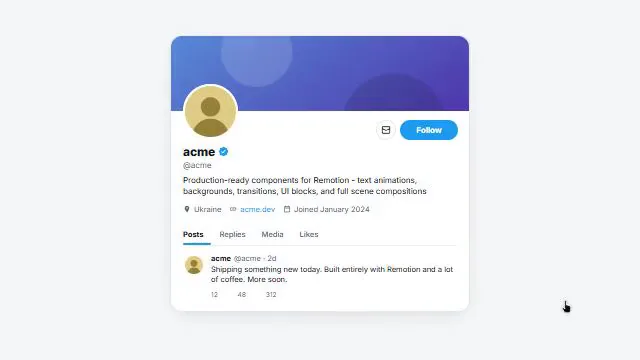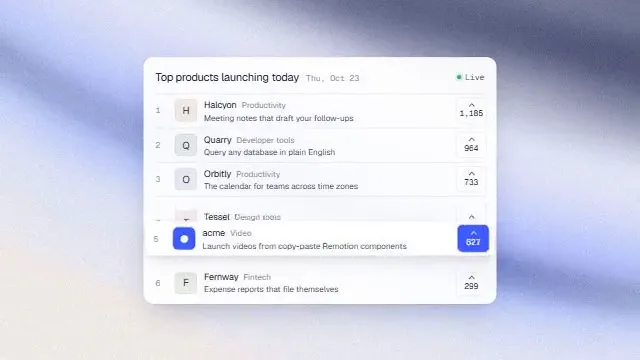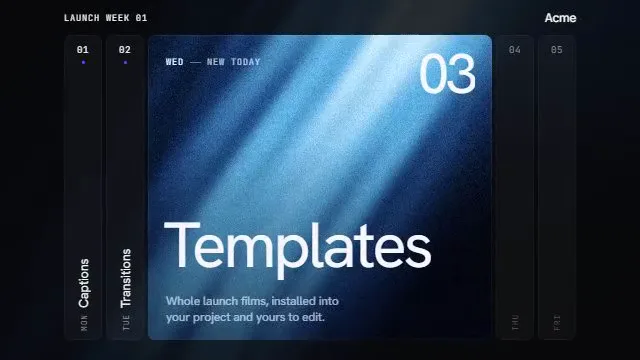
00:33
Launch date ·
1.07M Impressions
42.5KVideo plays
For startup founders
A startup launch video has one job: make someone stop scrolling on launch day and understand what you built before the clip loops. You can make one this week without hiring a studio. Connect Kuchi to the AI agent you already use, pick a real launch video as your template, and the agent rebuilds its timing and motion around your own product.
Kuchi is a free library of real product-launch videos, each measured frame by frame: when every shot starts and ends, how it enters, how much of the frame moves and which colours fill it. Your agent reads those measurements through an open MCP server, plans your video on the same frames and builds it with your logo, your screens and your words.
Most founders make a launch video for each piece of big news: the public launch, the funding announcement, the out-of-stealth post, the 1.0. Each one lands in a feed where it autoplays without sound next to everything else, and where the first two seconds decide whether anyone watches the rest. The video has to carry the hook, the product and the call to action on its own, usually in 20 to 45 seconds.
What you need is not a motion designer's toolkit. You need a cut that is known to work, a way to fit your own product into it, and something that does the build while you write the launch post. That is the split Kuchi gives you: the reference supplies the rhythm, your agent supplies the labour, and you supply the product.
Every reference in the library is a real launch that went out on X, so you are not guessing at a style from a template gallery. You can watch the original, see how its shots are paced, and pick one whose structure suits what you are announcing: a hook-led out-of-stealth reveal, a feature-by-feature product story, or a quiet type-only teaser.
The video competes with the landing page, the post, the investor update and the last bugs. A reference and a plan turn it from a blank canvas into a checklist your agent works through.
Stock templates give every startup the same intro. A real launch as the reference keeps pacing that works while every frame shows your product.
An outsourced cut takes weeks and a revision round per change. A remake built in code by your agent changes in minutes when the headline does.
Most people see your launch with the sound off. The plan keeps the reference's on-screen words and motion, so the story reads without audio.
Tell your agent what the startup does and what you are announcing. kuchi_suggest_templates returns a short list of launch videos ranked for your product, each with a poster, a link and what you would need to supply. Pick one by number, or paste the link of any video you liked on the site.
kuchi_suggest_templateskuchi_get_breakdown gives the agent every shot's exact frames, entrance, motion and colours, plus storyboard sheets of real frames. The agent writes one line per shot: a title card here, a product screen there, a logo at the end.
kuchi_get_breakdownkuchi_plan_remake maps your company onto those frames at the length you want and lists what is missing: usually your logo, two or three screenshots, the features to show and the closing call to action. Answer once and the blueprint is ready.
kuchi_plan_remakeA coding agent writes the video in Remotion shot by shot, starting from Kuchi's ready-made components and the build skills, and renders the MP4 on your machine.
kuchi_get_component · kuchi_get_skillkuchi_check_remake reads the shot list and flags anything that still carries the reference's brand, any placeholder left on screen and any shot that drifted in length. Fix those, compare the frames it names, and post.
kuchi_check_remakeWe're launching [product] on X next Tuesday. Use Kuchi to suggest five launch video templates for a seed-stage startup and show me each poster and link.
Remake the template I picked as a 30-second 16:9 video. My logo is in ./brand/logo.svg and screenshots are in ./screens. Ask me for anything else the plan needs.
Cut a 15-second square version from the same reference for the reply thread and LinkedIn.
Run kuchi_check_remake on the final shot list, render stills at the compare times and fix every shot that drifts from the reference.
Coding agents build and render the video. Chat apps choose, study and plan, then hand the blueprint to a coding agent. All agent guides.
 Claude CodeBuilds and rendersBuilds and renders the whole video in your repo; the plugin installs the skills and the MCP server in one command.
 CodexBuilds and rendersA good fit when the team already runs Codex on the product codebase; it renders and checks without leaving the task.
 CursorBuilds and rendersKeeps the video beside your app's code, so real UI can appear in the shots.ClaudeChooses and plansChoose and plan in a chat while you write the launch post, then hand the blueprint to a coding agent.
 ChatGPTChooses and plansThe same plan-in-chat flow if your team lives in ChatGPT.
Plan the main cut first, at the length and aspect ratio the reference was made in, usually 16:9 between 30 and 45 seconds. That is the version you pin on X and put on the landing page. Then ask the agent for a second plan from the same reference at a shorter length. When the target is much shorter than the reference, kuchi_plan_remake keeps an evenly spaced subset of shots instead of speeding everything up, so the short cut keeps the original's rhythm.
On X the video autoplays muted in the timeline, so the first shot matters most. Look at the reference's first two seconds on the storyboard: if it opens on a hook line, write yours as a claim the reader cares about, not your product name. On Product Hunt the video sits in the gallery beside your screenshots, where people choose to press play; there a slightly longer walk through the product earns its time.
Keep the closing frame doing one thing. The reference's end card becomes your logo and one call to action: the URL, a short line, or your launch-day handle. The plan asks you for it explicitly, so the agent never invents one.
Across the startup launches in the library, one shape keeps coming back: a hook made of words, two to four product moments shown as real UI, a proof beat, and a logo close. The exact timings vary, which is why a remake follows one measured reference rather than a generic formula. If the reference spends eight seconds on type before showing the product, so does yours, unless you tell the agent otherwise.
A product moment is one thing a user does and sees, not a feature list. Give the planner one to three of those, each backed by a real screenshot or recording. A shot whose content you cannot supply, such as a chart with no real numbers, is dropped or marked as a placeholder, and the agent tells you. Kuchi never invents metrics, customer logos or testimonials.
Proof is optional and must be real: a waitlist count, a quote from a design partner, a benchmark you can stand behind. If you have none yet, the plan gives that time to your product instead.
With these in hand, a coding agent can usually go from template to first render in one sitting. Everything after that is editing a headline or swapping a screenshot, which costs a re-render, not a re-shoot.
Coding agents load Kuchi's build skills with kuchi_get_skill before they write video code: kuchi-remotion covers project setup, the @ alias the components need, one <Sequence> per blueprint shot and rendering; kuchi-sound places open-license sound effects on each shot's cue frame, chosen by measuring; kuchi-audio-check measures loudness, peaks and cue timing, because an agent cannot listen to its own mix.
The Kuchi product launch video skill ties those steps together, so the agent works through the whole job in order: find, study, plan, build, check. Install the skills into a project with npx skills add kalarislabs/kuchi, or in Claude Code with /plugin install kuchi --marketplace KalarisLabs/kuchi, which adds the MCP server in the same step.
Agent skill · free
The product launch video skill takes your agent from a product URL or brief to a finished, checked MP4, modelled shot for shot on a real launch video. Install it once and ask for a launch video.
The skills CLI asks which agent to add it to (Claude Code, Codex, Cursor, Gemini CLI, Antigravity, OpenCode and others) and copies the skill into that agent’s skills folder in your project.
npx skills add kalarislabs/kuchi --skill kuchi-product-launch-videoInstalls every Kuchi skill and the MCP server together, in one step.
/plugin install kuchi --marketplace KalarisLabs/kuchiMost startup launches in the library run between 30 and 50 seconds. Start from your reference's own length for the main cut. kuchi_plan_remake accepts any target from 5 to 180 seconds and re-times the shots on whole frames, so a 15-second cut for replies comes from the same reference.
No. The reference supplies the pacing and layout, Kuchi's components supply ready-made animated parts, and a coding agent such as Claude Code or Codex builds and renders the video. You review the frames and approve.
No. A remake borrows timing, motion, layout and colour roles. Every logo, screen, word and number comes from you, and kuchi_check_remake flags any text or asset that still belongs to the reference.
You can plan it. Shots that need your UI are marked as placeholders until you supply the screens, and the agent tells you which ones are waiting. For a pre-launch teaser, pick a type-led reference that needs only your words and logo.
No. Kuchi measures references and plans the remake. Your coding agent writes the video, usually in Remotion, and renders it on your machine, so the source stays in your project.
Any MCP client that speaks Streamable HTTP. Coding agents such as Claude Code, Codex and Cursor choose, plan, build and render; chat apps such as Claude and ChatGPT choose, study and plan, then hand the blueprint to a coding agent. Each agent has a step-by-step guide at /agents.