00:20
Launch date ·
141.6K Impressions
54.1KVideo plays
For engineers and developer relations
If you ship a developer tool, the launch video is code you can write. Remotion turns React components into frames, your coding agent already writes React, and Kuchi gives it the part it cannot invent: a real launch video measured frame by frame, with shot timings, entrances and motion levels as data.
Connect the Kuchi MCP server to Claude Code, Codex, Cursor or any coding agent, ask for a demo video, and the agent picks a reference, plans your video on its frames, installs ready-made Remotion components from Kuchi's registry and renders an MP4 in your project. The source sits next to your code and re-renders on every release.
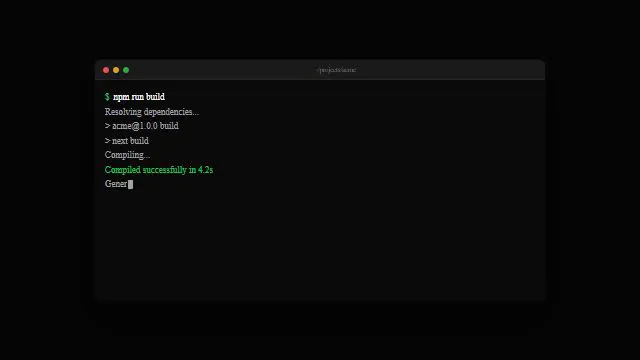
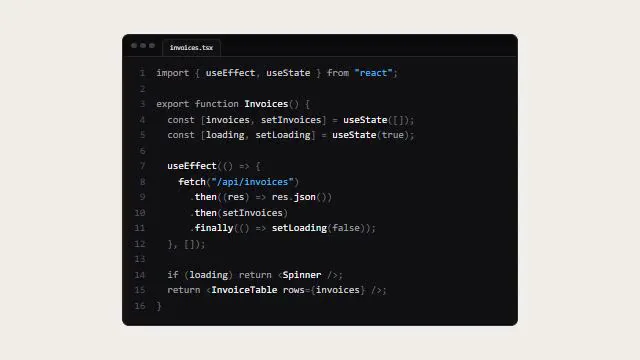
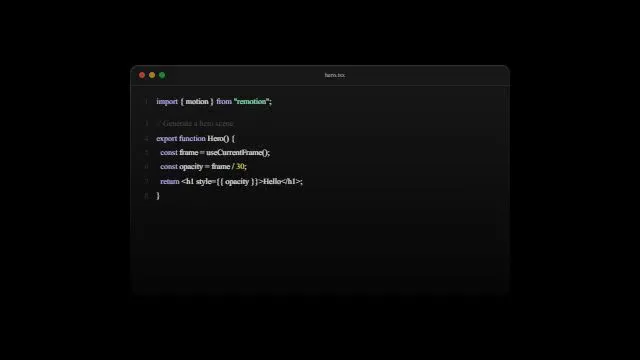
Developer audiences trust a demo that shows the real thing: the command typed, the output streaming, the diff landing, the dashboard updating. They are also quick to notice a video that is all gradients and no product. The dev-tool launches in the library that hold attention tend to put a terminal or a code card on screen early and keep the words short.
For devrel the video is rarely a one-off. Every release, SDK method or integration wants a clip for the changelog, the docs, the launch post and the conference talk. Writing those in Remotion means the second clip reuses the first one's scenes, and the tenth is a pull request.
Kuchi fits into that loop as a data source. The plan comes back as JSON with integer start_frame and end_frame per shot, so the composition reads it directly instead of someone retyping times from a timeline.
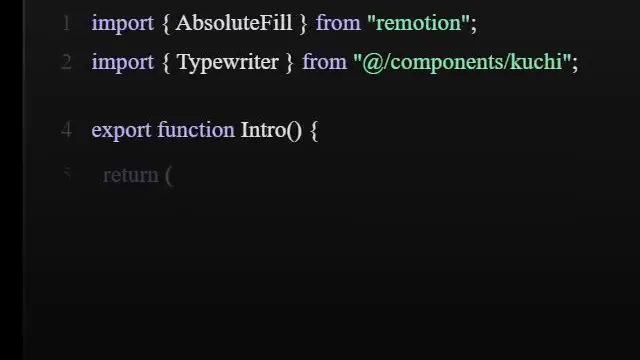
Recorded terminals show old versions and typos. A rebuilt terminal or code card is sharp at any resolution and re-renders when the output changes.
Hand-timed motion drifts and feels off. The blueprint gives every shot exact frames from a real launch, re-timed to your length.
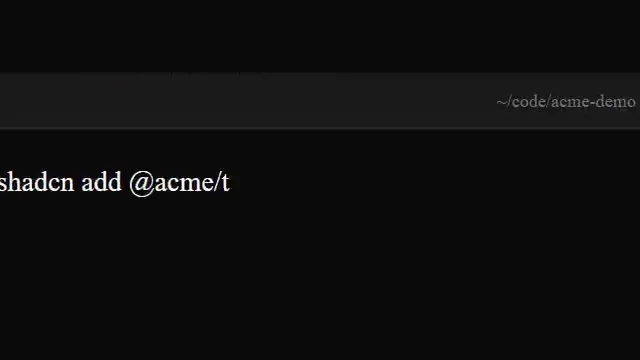
A composition from nothing means writing the same terminal, cursor and caption code every time. Kuchi's registry installs those as editable source with the shadcn CLI.
It is hard to tell whether a cut matches its reference. kuchi_check_remake returns paired times, so you render stills and compare them side by side.
Ask for a dev-tool reference. kuchi_suggest_templates ranks the library for your product; kuchi_search_videos filters by the Terminal style, pace, length or aspect ratio when you want something specific.
kuchi_suggest_templateskuchi_get_breakdown returns shots with start and end in frames, entrance (cut, transition, hold or blank), motion level and colour roles, plus a per-second motion curve and storyboard sheets. The agent classifies every shot into one of 14 kinds.
kuchi_get_breakdownkuchi_plan_remake takes the product details and the shot analysis and returns the blueprint: fps and total frames, each shot's integer frames, your content, suggested components and compare times. Save it as plan.json.
kuchi_plan_remakeThe agent reads kuchi-remotion with kuchi_get_skill, sets up the @ alias, installs components with the shadcn command kuchi_get_component returns, and writes one <Sequence> per shot. Then it renders with the Remotion CLI.
kuchi_get_component · kuchi_get_skillkuchi_check_remake validates the shot list for gaps, drift and reused assets and returns compare_frames. The agent renders stills at each your_s and sets them beside the reference sheet.
kuchi_check_remakeUse Kuchi to find a dev-tool launch with a terminal on screen, under 40 seconds. Show me three options.
Plan a remake of the one I chose for our CLI. Save the blueprint as video/plan.json and set up a Remotion project in /video that reads its frames from it.
Install Kuchi's terminal-session and glass-code-walk components and use them for shots 2 to 4, with output copied from a real run of our CLI.
Render, run kuchi_check_remake on the shot list, export stills at the compare times and fix the shots that drift.
Coding agents build and render the video. Chat apps choose, study and plan, then hand the blueprint to a coding agent. All agent guides.
 Claude CodeBuilds and rendersThe plugin adds the skills and the server in one step; it runs the whole write, render and check loop in the terminal.
 CodexBuilds and rendersOne command in Codex CLI; runs the render and the check without you copying files around.
 CursorBuilds and rendersBuilds the composition beside your code, with a one-click MCP install.
 OpenCodeBuilds and rendersFor teams that pick their own model and still want the full loop.
 GitHub Copilot CLIBuilds and rendersIf your organisation standardises on Copilot, the CLI agent renders the video from the terminal.
 Gemini CLIBuilds and rendersTerminal-first, with the server added in settings.json.
The blueprint carries the composition's fps and total frames, and every shot's start_frame and end_frame as integers. In Remotion that is one <Composition> whose durationInFrames is the blueprint's frames, and one <Sequence> per shot with from at start_frame and durationInFrames of end_frame − start_frame + 1. Inside a Sequence, useCurrentFrame() starts at zero, so each shot's entrance is written relative to the shot.
Entrances translate directly. A cut changes the whole picture on the shot's first frame. A transition finishes over the shot's first frames, and the detail sheets show whether it wipes, zooms, morphs or dissolves. A hold freezes the previous picture before motion resumes. The motion level says how much moves: still means nothing, low one element such as a cursor, medium a panel or a block of text, high the whole frame.
Keep renders deterministic: no Math.random() or Date.now() in frame code, assets loaded with staticFile(), fonts loaded before the first frame. The kuchi-remotion skill spells out these rules and the @ alias in remotion.config.ts that Kuchi's components expect. A low-motion terminal shot, typed over its own frames:
// src/shots/Install.tsx: a low-motion terminal shot, typed across the shot
import { interpolate, useCurrentFrame, useVideoConfig } from 'remotion';

const command = 'npx your-cli init';

export const Install = () => {
  const frame = useCurrentFrame(); // 0 on the shot's first frame
  const { durationInFrames } = useVideoConfig(); // the Sequence's length
  const typed = Math.round(
    interpolate(frame, [0, durationInFrames * 0.6], [0, command.length], {
      extrapolateRight: 'clamp',
    }),
  );
  return <pre className="terminal">$ {command.slice(0, typed)}</pre>;
};Once the first video exists, the next one is a diff. Keep the composition, the shared scenes and the brand tokens in the repo, and for each release ask the agent to re-plan the same reference with the new feature, or a shorter cut of it. The blueprint changes; shots that rebuild the same kinds of moments keep their components; the render runs in your terminal.
Teams that ship weekly often keep two references: a full launch for major versions and a 15 to 20-second feature clip for everything else. Both live as Kuchi links in the repo's video folder, so anyone on the team can ask their agent to re-plan them.
Real output beats mocked output. Copy terminal text from an actual run of your CLI, show a real API response, and put your real docs URL on the end card. The check flags placeholders still in the shot list, so nothing ships with filler text.
Kuchi's registry serves Remotion components as source, installed with one shadcn command each, so your agent can restyle them freely. For developer videos the useful ones are terminal sessions, code cards that walk or morph between snippets, an agent run with steps, cursor and click animations, and word-by-word captions for muted autoplay. Browse them on the components page or have the agent call kuchi_list_components.
Each analysed blueprint shot lists the components that rebuild that kind of shot, best fit first. The agent reads one with kuchi_get_component, which returns its files, props, dependencies and install command, then passes your own text, colours and timing as props.
Coding agents load Kuchi's build skills with kuchi_get_skill before they write video code: kuchi-remotion covers project setup, the @ alias the components need, one <Sequence> per blueprint shot and rendering; kuchi-sound places open-license sound effects on each shot's cue frame, chosen by measuring; kuchi-audio-check measures loudness, peaks and cue timing, because an agent cannot listen to its own mix.
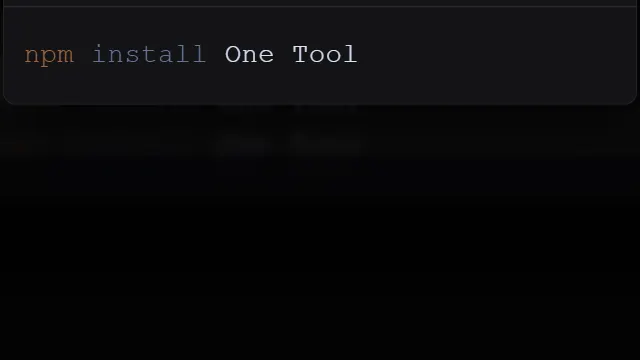
The Kuchi product launch video skill ties those steps together, so the agent works through the whole job in order: find, study, plan, build, check. Install the skills into a project with npx skills add kalarislabs/kuchi, or in Claude Code with /plugin install kuchi --marketplace KalarisLabs/kuchi, which adds the MCP server in the same step.
Agent skill · free
The product launch video skill takes your agent from a product URL or brief to a finished, checked MP4, modelled shot for shot on a real launch video. Install it once and ask for a launch video.
The skills CLI asks which agent to add it to (Claude Code, Codex, Cursor, Gemini CLI, Antigravity, OpenCode and others) and copies the skill into that agent’s skills folder in your project.
npx skills add kalarislabs/kuchi --skill kuchi-product-launch-videoInstalls every Kuchi skill and the MCP server together, in one step.
/plugin install kuchi --marketplace KalarisLabs/kuchiBecause the video is React code. Your coding agent already writes it, it lives in version control, it renders the same way every time from the command line, and the next video reuses the scenes. Kuchi's components are Remotion components for that reason.
No. The blueprint is plain JSON with frames per shot, so any frame-based tool can follow it. Kuchi's components and the kuchi-remotion skill are written for Remotion, which makes it the shortest path.
Kuchi does not render anything; rendering is Remotion's job on whatever machine runs it. Many teams render locally first, then move the same render command into their own pipeline once the composition is stable.
The plan is computed from the reference's measurements and your inputs, so the same reference, length, fps and answers return the same frames. Every Kuchi tool is read-only and idempotent.
Show fewer lines at a larger size than a real terminal would. The agent's shot notes record how much of the frame the reference's code occupied; match that share rather than a font size.
Any MCP client that speaks Streamable HTTP. Coding agents such as Claude Code, Codex and Cursor choose, plan, build and render; chat apps such as Claude and ChatGPT choose, study and plan, then hand the blueprint to a coding agent. Each agent has a step-by-step guide at /agents.