00:45
Launch date ·
827.9K Impressions
—Video plays
For open-source maintainers
An open-source release competes for attention with every other release that day. A short video on the announcement post, the docs home page and the release notes is often what turns a version bump into something people try. Kuchi helps your coding agent make that video with a real launch as the template, using your project's real commands and output.
Kuchi is free and open: a library of real launch videos measured frame by frame, served through an MCP server with no sign-in, plus Remotion components installed as editable source. The video is code that can live in your repository, so contributors can update it with the next release.
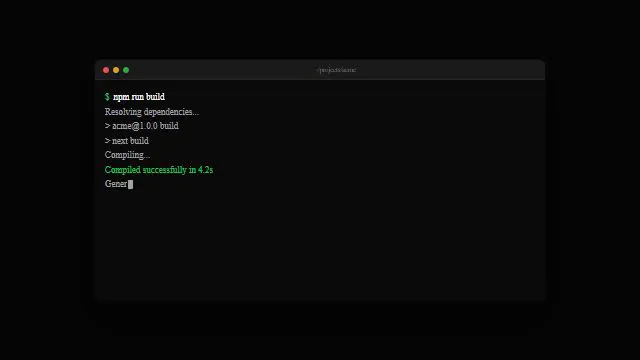
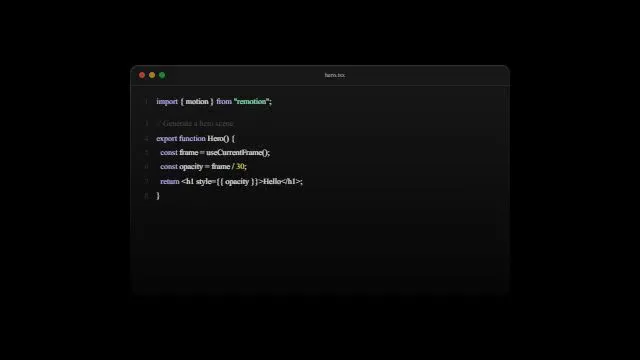
Release videos for open-source projects have a clear shape: what the project is, what is new in this version, and the command to try it. The audience is developers, so real terminal output and real code persuade more than abstract motion. The best references for this are the dev-tool and skill launches in the library that end on an install command.
Maintainers rarely have a designer. What they have is a codebase, a CLI and, more and more often, a coding agent. That is enough: the agent picks a reference, plans the video on its frames, rebuilds the terminal and code shots from your real output, and renders it.
Keeping the video in the repo makes it maintainable like the docs. The next release changes the version number, the feature shots and the install command; the structure, look and timing carry over.
The reference makes the layout and pacing decisions. You supply the project's name, logo and real output.
A video that needs a designer happens once a year. A video in code can follow every major release.
Recorded demos show old flags and old output. Rebuilt terminal shots take your current output as text and re-render.
A composition in the repo is reviewed in a pull request like any other change.
Ask your agent for launches that show a terminal or end on an install command. kuchi_suggest_templates ranks them for your project; kuchi_search_videos filters by style or length.
kuchi_suggest_templateskuchi_get_breakdown returns the shot frames, entrances, motion and colours, with storyboard sheets the agent reads to classify each shot.
kuchi_get_breakdownkuchi_plan_remake asks for the project name and one-liner, the logo, the screens or output to show, one to three changes in this version and the closing command or URL.
kuchi_plan_remakeThe agent installs Kuchi's terminal and code components, pastes in output from a real run, applies the project's colours and renders with Remotion.
kuchi_get_component · kuchi_get_skillkuchi_check_remake flags placeholders and timing drift and gives you frames to compare with the reference before you attach the video to the release.
kuchi_check_remakeWe're releasing v2.0 of [project]. Use Kuchi to find launch video templates that show a terminal and end on an install command.
Plan a 30-second remake. The three changes are under 2.0 in CHANGELOG.md and the install command is in the README. Ask me for anything else.
Run our CLI's quickstart, capture the real output and use it in the terminal shots instead of made-up text.
Put the composition in /video with a short README on re-planning it for the next release, then run kuchi_check_remake.
Coding agents build and render the video. Chat apps choose, study and plan, then hand the blueprint to a coding agent. All agent guides.
 Claude CodeBuilds and rendersWrites, renders and checks the video in the repo; the plugin adds the skills and the server together.
 OpenCodeBuilds and rendersAn open-source agent that works with any model.
 ClineBuilds and rendersAn open-source agent in your editor, with Kuchi added in the MCP Servers panel.
 Gemini CLIBuilds and rendersAn open-source terminal agent, configured with a few lines in settings.json.
 CodexBuilds and rendersOne command in Codex CLI, then the full build, render and check loop.
A structure that suits most releases: the project's name and one line, the headline change shown working, one or two further changes as quick shots, and an end card with the install command and docs URL. Choose a reference with that shape and the plan fits your content into its exact frames.
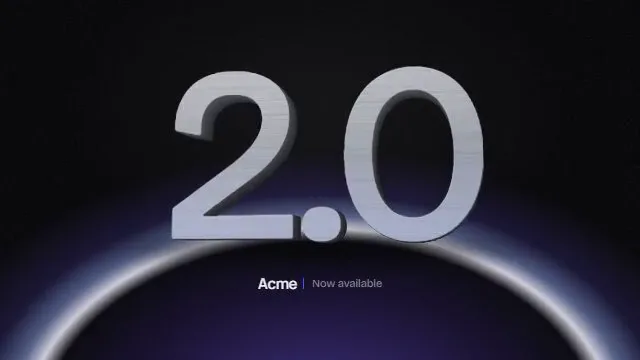
Version numbers make good kinetic type. A version hero or a number rolling up is a strong opening for a major release, and it is real information, not decoration.
Close on the command people should run. The reference's end card becomes your logo and the exact install line from your docs.
Put the Remotion project in a folder such as /video with its own package.json, so it never touches the library's dependencies. Commit the blueprint as plan.json next to it. For the next release, a contributor's agent re-plans from the same reference link and updates the shots in a pull request.
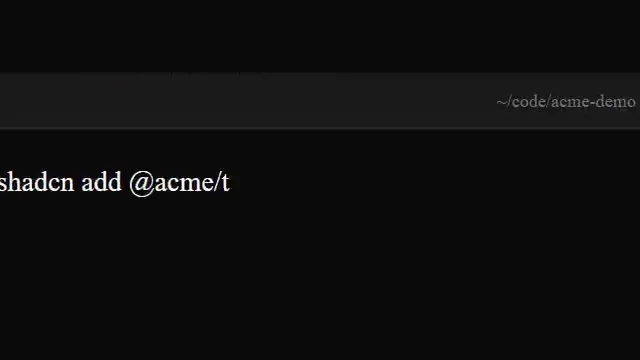
Kuchi components arrive through the shadcn CLI as source files in that folder, so nothing calls Kuchi at runtime. Because they are plain source, contributors read and change them like any other file.
Keep rendered MP4 files out of version control; attach the video to the release or host it with your docs.
Open-source projects often have honest proof to show: contributors, downloads, adopters who agreed to be named. Use only numbers you can point to. Kuchi never invents metrics, and a chart shot with no real number stays a placeholder until you supply one.
Thank-you beats suit open source: a roll of contributor names or a milestone counter. Use names only with consent, and spell them the way contributors write them.
Coding agents load Kuchi's build skills with kuchi_get_skill before they write video code: kuchi-remotion covers project setup, the @ alias the components need, one <Sequence> per blueprint shot and rendering; kuchi-sound places open-license sound effects on each shot's cue frame, chosen by measuring; kuchi-audio-check measures loudness, peaks and cue timing, because an agent cannot listen to its own mix.
The Kuchi product launch video skill ties those steps together, so the agent works through the whole job in order: find, study, plan, build, check. Install the skills into a project with npx skills add kalarislabs/kuchi, or in Claude Code with /plugin install kuchi --marketplace KalarisLabs/kuchi, which adds the MCP server in the same step.
Agent skill · free
The product launch video skill takes your agent from a product URL or brief to a finished, checked MP4, modelled shot for shot on a real launch video. Install it once and ask for a launch video.
The skills CLI asks which agent to add it to (Claude Code, Codex, Cursor, Gemini CLI, Antigravity, OpenCode and others) and copies the skill into that agent’s skills folder in your project.
npx skills add kalarislabs/kuchi --skill kuchi-product-launch-videoInstalls every Kuchi skill and the MCP server together, in one step.
/plugin install kuchi --marketplace KalarisLabs/kuchiYes. Kuchi is free for every project, open source or not, with no account and no API key.
No. Keep the Remotion project in its own folder with its own package.json. Kuchi components are copied in as source files, so nothing calls Kuchi at runtime.
Yes. Anyone with a coding agent connected to Kuchi can re-plan the same reference for a new release and change the shots in a pull request.
The exact install command from your docs and the docs URL. The plan asks for the closing call to action, so the agent never makes one up.
Yes, if it is your own: it is your asset. What a remake never reuses is anything from the reference video.
Any MCP client that speaks Streamable HTTP. Coding agents such as Claude Code, Codex and Cursor choose, plan, build and render; chat apps such as Claude and ChatGPT choose, study and plan, then hand the blueprint to a coding agent. Each agent has a step-by-step guide at /agents.